
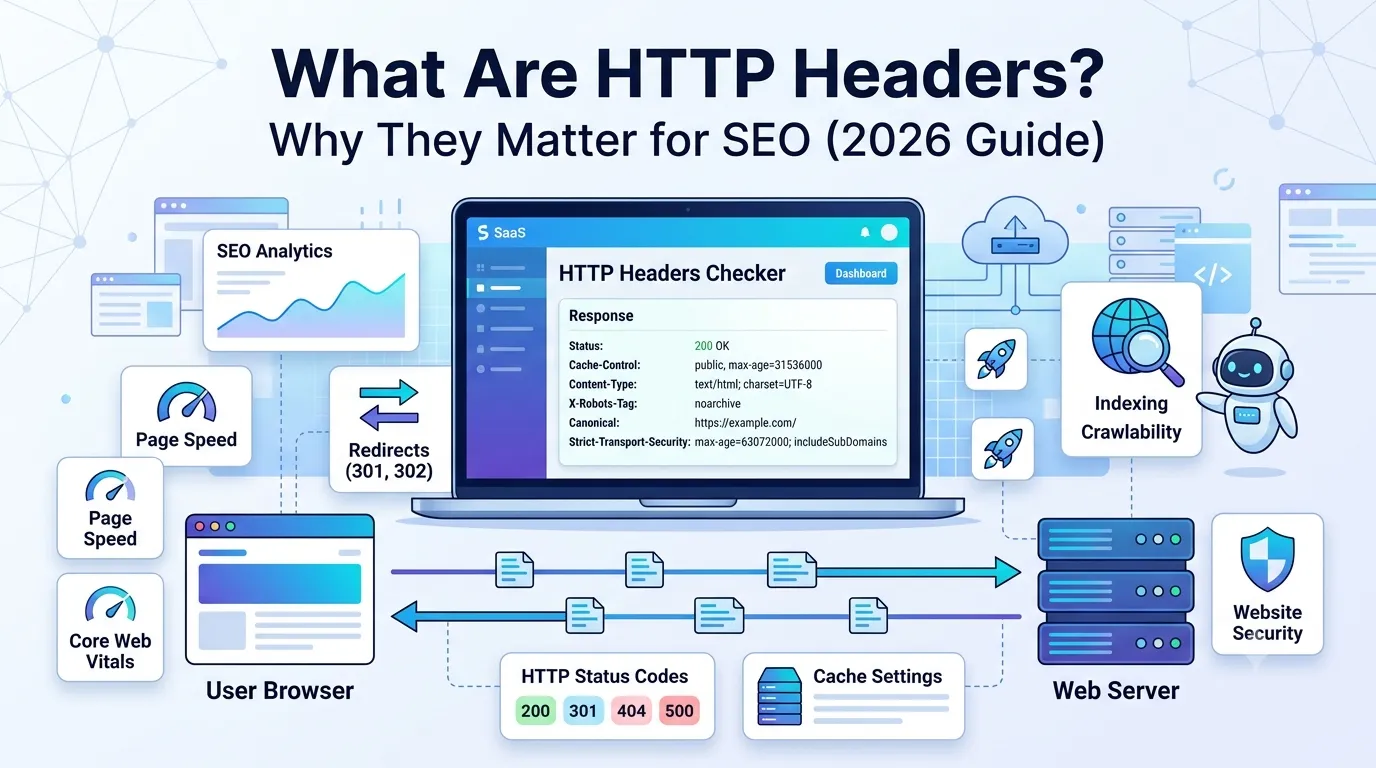
Every time a browser opens your website, the server sends a tiny message called an HTTP header. Most users never see it, yet it controls speed, security, indexing, and even how Google ranks your page. So HTTP headers SEO is far more important than most marketers realize.
One small header mistake can block crawlers, kill page speed, or trigger duplicate content issues. Therefore, knowing what these headers do is a must in 2026.
This guide explains what HTTP headers are, why they impact SEO, and how to audit yours with a free tool — without touching code.
What Are HTTP Headers?
HTTP headers are key-value pairs sent between a web server and a browser. They share information about the request and the response, such as content type, caching rules, language, and status.
So when you load any web page, both your browser and the server exchange dozens of HTTP headers behind the scenes. These signals tell each side how to behave correctly.
Why HTTP Headers Matter for SEO
HTTP headers SEO affects:
- How Google crawls your site
- Whether pages get indexed or skipped
- How fast pages load for users
- Whether duplicate content is detected
- How browsers handle redirects and security
Therefore, broken headers can quietly hurt rankings without you even knowing.
Most Important HTTP Headers for SEO
You do not need to memorize all 200+ HTTP headers. Focus on the ones that directly affect SEO.
1. Status Codes (200, 301, 404, 503)
Status headers tell Google if a page is live, redirected, gone, or broken. Always audit them with our Redirect Checker.
2. X-Robots-Tag
This header controls indexing at a server level. So a wrong “noindex” here can hide important pages from Google instantly.
3. Cache-Control
Cache headers control how browsers store your pages. Smart caching speeds up sites and improves Core Web Vitals.
4. Content-Type
This header tells the browser what type of content is being delivered (HTML, JSON, image, etc.). Wrong types can break rendering.
5. Content-Language
Used for international SEO, this header helps Google show the correct language version to each user.
6. Canonical Link Header
This server-level canonical helps avoid duplicate content, especially for PDFs and images that lack <head> tags.
7. Vary Header
The Vary header tells caches when to serve different versions of a page. Critical for mobile vs desktop and language detection.
8. Security Headers
Headers like Strict-Transport-Security, X-Frame-Options, and Content-Security-Policy improve trust signals and protect users.
How to Check Your HTTP Headers Free
You can audit any URL in seconds — without code.
Step 1 — Open the Free HTTP Headers Checker
Visit our free HTTP Headers Checker. Paste the URL and click check.
Step 2 — Review the Output
The tool shows every header your server sends, neatly formatted. Look for:
- Correct 200 OK status
- Sensible cache rules
- Valid Content-Type
- Strict-Transport-Security enabled
- No accidental X-Robots-Tag: noindex
Step 3 — Fix Issues
Send fixes to your developer or update via your hosting panel. Many issues are one-line tweaks in .htaccess or server config.
Quick SEO Wins via HTTP Header Tweaks
- Set Cache-Control: public, max-age=31536000 for static assets
- Add Strict-Transport-Security: max-age=63072000; includeSubDomains
- Use 301 instead of 302 for permanent redirects
- Avoid duplicate canonical tags on the same URL
- Enable Brotli or GZIP compression for HTML, CSS, JS
Tiny tweaks like these often improve page speed and crawl efficiency overnight.
Common HTTP Header SEO Mistakes
- Accidentally serving noindex via X-Robots-Tag
- Returning 200 OK for missing pages instead of 404
- Forgetting Cache-Control on HTML pages
- Using mixed canonicals (header + HTML different)
- Missing security headers on HTTPS sites
Each of these issues damages rankings or trust signals silently.
HTTP Headers and Core Web Vitals
Good cache headers, compression, and Content-Type all impact loading speed. So they directly affect Core Web Vitals metrics like LCP and INP.
Pair your HTTP audit with our Page Speed Test for a complete performance review.
HTTP Headers Cheat Sheet
| Header | Best Practice |
|---|---|
| Status | 200, 301, 404, 503 (correctly applied) |
| X-Robots-Tag | Never set noindex by mistake |
| Cache-Control | Long max-age for assets, short for HTML |
| Content-Type | text/html; charset=UTF-8 |
| Strict-Transport-Security | HSTS enabled with subdomains |
| Vary | Vary: Accept-Encoding, User-Agent (when needed) |
Bookmark this table for quick technical SEO audits.
Free Tools to Audit HTTP Headers SEO
- HTTP Headers Checker — full header audit
- SSL Checker — verify HTTPS configuration
- Redirect Checker — trace 301/302 chains
- Website SEO Score Checker — overall health
Together, these tools cover every server-side SEO signal in minutes.
When to Audit HTTP Headers
- After migrating to a new host
- After a CMS or plugin update
- After switching to HTTPS
- Every 3 months as a routine audit
Routine checks help you catch silent SEO killers before they affect traffic.
Final Thoughts
HTTP headers SEO is one of the most under-rated parts of technical SEO. With a five-minute audit, you can avoid serious crawl, speed, and security issues — many of which hurt rankings invisibly.
Start now with our free HTTP Headers Checker. Scan your URL, find issues, and fix them today to protect your SEO long term.
FAQs
HTTP headers are key-value messages sent between a server and browser. They control indexing, caching, speed, and security.
Bad headers can block crawlers, cause duplicate content, and slow down pages. So they directly affect rankings.
Status codes, X-Robots-Tag, Cache-Control, Content-Type, and security headers have the biggest SEO impact.
Use a free HTTP headers checker. Paste any URL to see every header your server sends in real time.
Yes. A noindex X-Robots-Tag or a 5xx error response can prevent Google from indexing key pages.
Yes. Cache headers, compression, and Content-Type directly influence LCP and INP.
Audit every 3 months and after any major site migration, plugin change, or theme update.