
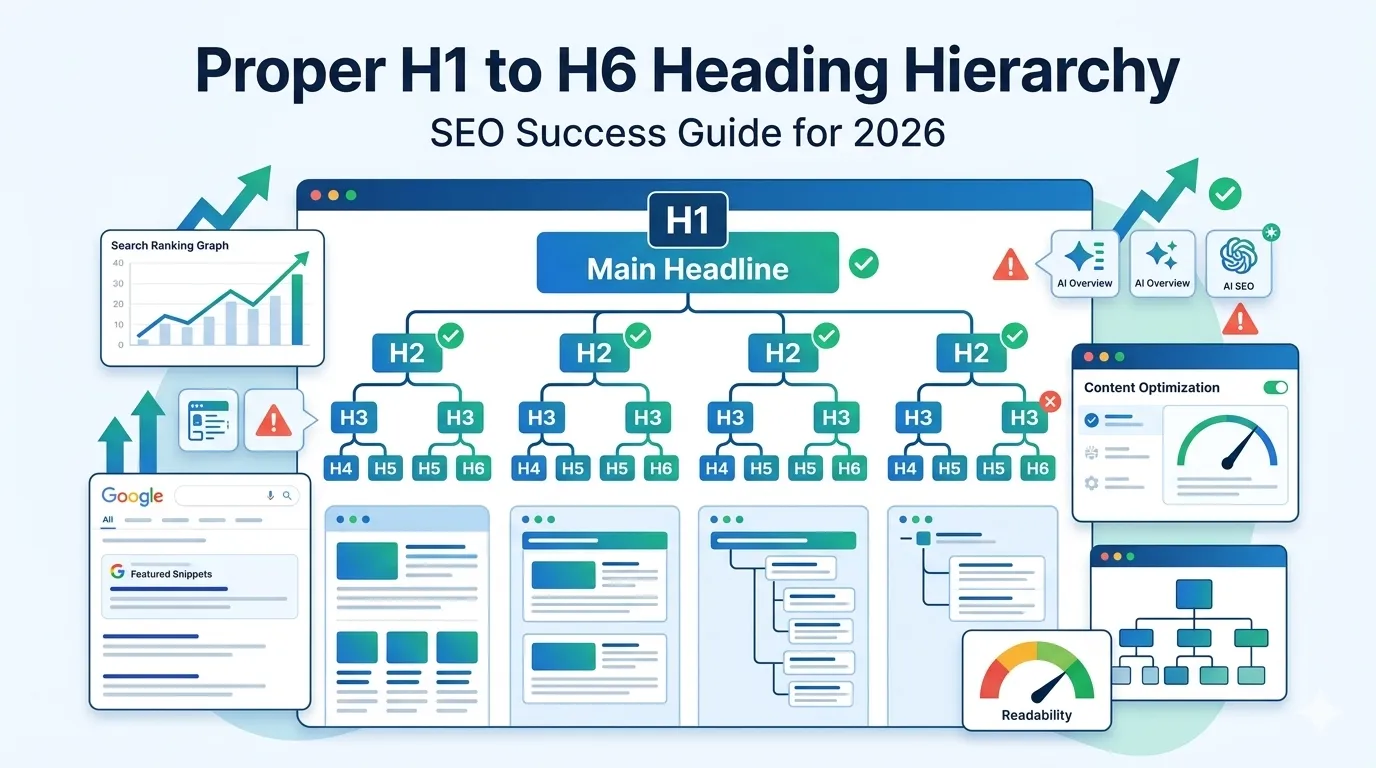
Most blog posts have headings, but very few use them correctly. A messy structure confuses readers, hurts accessibility, and weakens your SEO signals. So nailing a clean heading hierarchy SEO setup is one of the smartest moves you can make in 2026.
Headings help Google understand your page. They guide users through your content. They power featured snippets, voice search, and even AI Overviews. Therefore, getting them right pays off across every search platform.
This complete guide explains how to use H1 to H6 the right way, common mistakes to avoid, and the free tool that audits every page in seconds.
What Is Heading Hierarchy in SEO?
Heading hierarchy is the structured order of H1, H2, H3, and so on inside your content. It works like an outline. H1 is the title, H2s are main sections, H3s are subsections, and so on down to H6.
So when used correctly, headings give every page a clear, logical structure that both search engines and readers love.
Why Heading Hierarchy SEO Matters in 2026
- Improves crawlability and indexing
- Helps Google extract featured snippets
- Boosts AI Overviews visibility
- Improves accessibility for screen readers
- Reduces bounce rate with cleaner structure
Therefore, even small heading fixes can drive big SEO improvements.
How Each Heading Level Should Be Used
H1 — The Main Title
Use only one H1 per page. Include your primary keyword naturally. It should summarize the whole topic clearly.
H2 — Main Sections
H2s break the page into top-level chapters. Each one should target a clear sub-topic with semantic keyword variations.
H3 — Subsections
Use H3s inside H2s to add structure. They are perfect for steps, tips, comparisons, and FAQ blocks.
H4, H5, H6 — Deeper Levels
Use these only when truly needed. Most blog posts rarely go beyond H4 — anything deeper signals over-complication.
Heading Hierarchy SEO Rules to Follow
- One H1 only — the page title
- Never skip a level (do not go from H2 to H4)
- Include semantic keywords in H2s
- Keep H2s descriptive — not vague
- Avoid stacking the same opening word in headings
These rules feel small, but together they create powerful content scaffolding.
Example of a Clean Heading Structure
- H1: Best Smart Home Devices for Beginners
- H2: What Are Smart Home Devices?
- H2: Top 7 Smart Home Devices to Buy First
- H3: Smart Speakers
- H3: Smart Lights
- H2: How to Set Up Your First Smart Home
- H3: Step 1 — Plan Your Devices
- H3: Step 2 — Configure the App
Notice how the structure feels like an outline. So search engines understand the topic flow instantly.
Common Heading Hierarchy Mistakes
- Using multiple H1s on the same page
- Styling text to “look” like a heading instead of using tags
- Skipping heading levels (H2 → H4)
- Stuffing keywords into every heading
- Writing vague headings like “Introduction” or “More Info”
Audit your blog posts for these issues and fix them right away.
How to Audit Your Heading Hierarchy
You do not need to inspect HTML manually. Use these quick checks instead.
Step 1 — Run the Heading Tag Analyzer
Visit our free Heading Tag Analyzer. Paste your URL and see every heading on the page in seconds.
Step 2 — Check for Missing Levels
The tool shows if your page jumps from H2 to H4 or has multiple H1s. Fix any structural issues found.
Step 3 — Validate Keyword Use
Ensure your H1 has your main keyword, and H2s carry semantic variations. Avoid robotic keyword stuffing.
Heading Hierarchy and Featured Snippets
Google often uses your H2s and H3s to build featured snippets. So well-formatted question headings can grab “position zero” easily.
For example, “How to fix slow site speed?” works better than “Speed Issues”.
Heading Hierarchy and AI Search
AI Overviews and ChatGPT scrape headings to summarize content. Clean structure means AI tools extract your content correctly.
So a perfect hierarchy can earn you mentions across many AI surfaces — not just Google.
Best Practices for Each Page Type
Blog Posts
One H1, 4–8 H2s, and H3s for subsections, FAQs, and steps.
Service Pages
One H1 with the service name, then H2s for benefits, process, features, and FAQs.
Product Pages
One H1 with the product, H2s for features, specs, reviews, and shipping info.
Landing Pages
Use one strong H1, supportive H2s for value props, and H3s for testimonials or FAQs.
Quick Heading Hierarchy Checklist
- Only one H1 per page
- Logical descending order (H1 → H2 → H3)
- Descriptive, keyword-rich H2s
- No more than 2–3 H3s per H2
- FAQ section using H3 questions
- Audit with our Heading Tag Analyzer
Follow this checklist for every new post and refresh older posts gradually.
Smart Tools That Pair With Heading SEO
- Heading Tag Analyzer — audit heading hierarchy
- Title & Meta Length Checker — perfect title sizes
- Keyword Density Checker — verify natural usage
- Readability Score Checker — improve flow
Together, these tools polish every piece of your on-page SEO.
Final Thoughts
A clean heading hierarchy SEO setup is one of the easiest yet most overlooked wins in modern SEO. It improves rankings, readability, accessibility, and AI visibility — all at once.
Start now with our free Heading Tag Analyzer. Scan your top pages, fix structural issues, and watch your content perform better in every search environment.
FAQs
Heading hierarchy SEO is the structured use of H1 to H6 tags that helps search engines and readers understand your page clearly.
Only one H1. It should describe the page topic and contain the primary keyword naturally.
No. Going from H2 to H4 confuses crawlers and screen readers. Always step down one level at a time.
Yes. AI Overviews use headings to summarize content, so clean structures earn more mentions.
No. Use them naturally where they fit. Forced keywords hurt readability and look spammy.
Use a free heading tag analyzer. It instantly shows every heading and flags missing or extra levels.
Only when content depth requires them. Most blog posts work great with H1 through H3 only.