
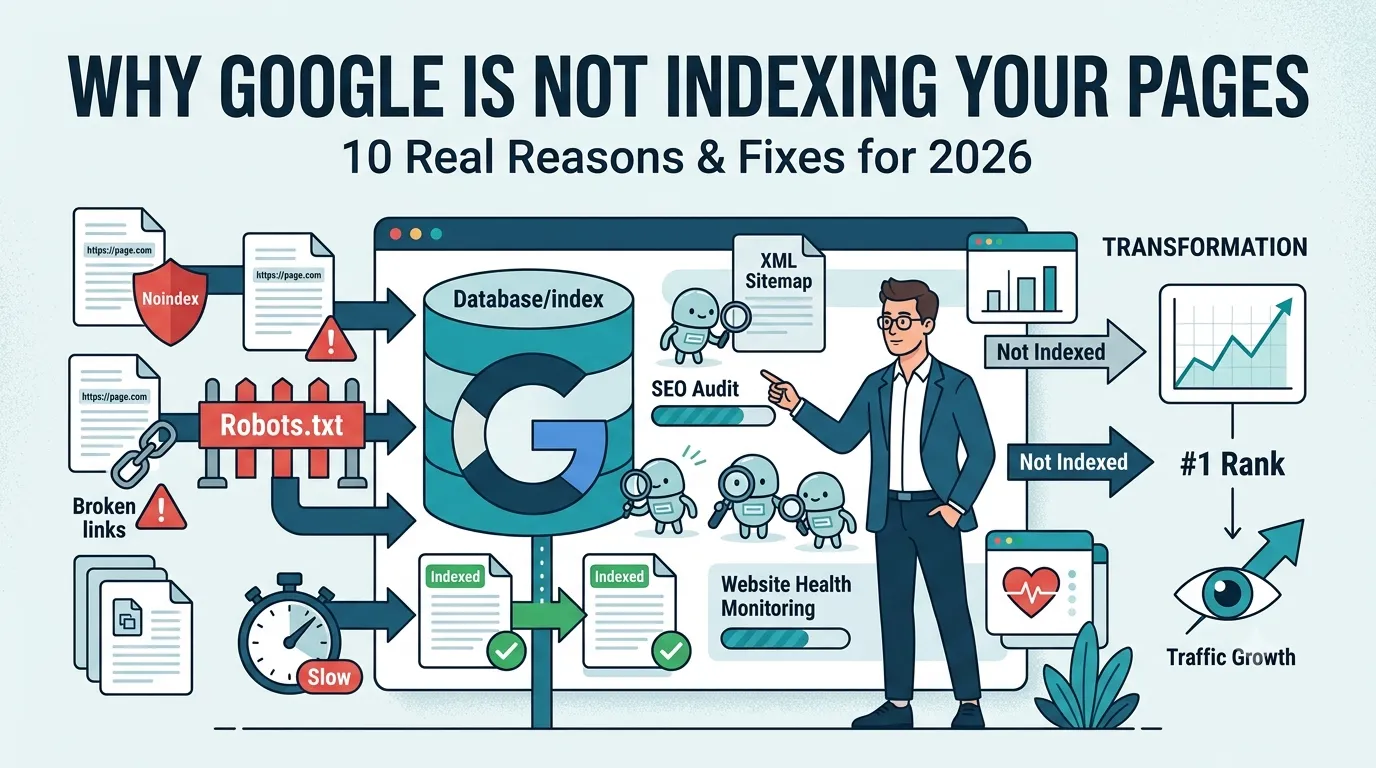
You published a brilliant blog post, hit publish, and waited. Days pass — yet your page still does not appear on Google. So why is Google not indexing pages from your site, and how can you fix it fast?
Indexing problems are more common than people think. Almost every site faces them at some point. The good news is, every cause has a clear, fixable reason.
This guide reveals 10 real reasons Google is not indexing pages in 2026, with proven fixes and a free tool to verify status in seconds.
What Does “Not Indexed” Actually Mean?
“Not indexed” means Google knows about your page, but has not added it to its searchable database. So when users search for your content, the page never shows up.
Therefore, indexing must happen before any ranking can begin. Without it, your SEO efforts deliver zero traffic.
How to Confirm Your Pages Are Not Indexed
Before fixing anything, confirm the issue. Use these quick checks:
- Search “site:yourdomain.com/your-page” on Google
- Use Search Console > URL Inspection
- Run our free Google Index Checker
Once confirmed, dive into the 10 reasons below.
10 Reasons Google Is Not Indexing Pages
Reason 1 — Your Site Is Too New
New domains take days or weeks to earn Google’s trust. So indexing can be slow until your site builds early signals.
Fix: Submit a sitemap and request indexing in Google Search Console.
Reason 2 — Robots.txt Blocks the Page
A wrong “Disallow” rule can hide entire sections from Google. So always review yourdomain.com/robots.txt for accidental blocks.
Fix: Remove the Disallow rule for important pages and retest.
Reason 3 — Noindex Meta Tag Is Present
If your page has a “noindex” meta tag in the <head>, Google will skip it. SEO plugins or themes sometimes add it by mistake.
Fix: Remove the noindex tag and confirm with View Source.
Reason 4 — Wrong Canonical Tag
If your page’s canonical points to another URL, Google indexes that other URL — not yours.
Fix: Use a self-referencing canonical for the page you want indexed.
Reason 5 — Page Is Too Thin or Low Quality
Google now skips pages with little value. So 100-word posts or auto-generated content often stay unindexed.
Fix: Expand the page to 700+ useful words with original insights.
Reason 6 — Duplicate or Cannibalizing Content
Multiple pages targeting the same keyword can confuse Google. So it picks one and ignores the rest.
Fix: Consolidate duplicate posts into one strong page and 301-redirect old URLs.
Reason 7 — Slow Loading or Broken Pages
Pages that take forever to load — or return server errors — get skipped by Googlebot. Therefore, performance affects indexation.
Fix: Improve speed with our Page Speed Test and fix 5xx errors.
Reason 8 — No Internal Links
Orphan pages have no internal links pointing to them. So Google rarely finds and indexes them.
Fix: Add at least 2–5 internal links from your strongest pages.
Reason 9 — Crawl Budget Issues
Large sites with too many low-value URLs run out of crawl budget. So important pages get ignored.
Fix: Remove or noindex thin pages and refresh your sitemap.
Reason 10 — Penalty or Manual Action
If Google sees spam, cloaking, or shady SEO, it may withhold indexation. Check Search Console > Manual Actions for warnings.
Fix: Resolve the issues, then submit a reconsideration request to Google.
Quick Action Plan to Get Pages Indexed
- Confirm status with our Google Index Checker
- Check robots.txt and meta tags for blocks
- Audit canonical tags for accuracy
- Improve content depth and uniqueness
- Add 2–5 internal links from authority pages
- Submit a sitemap in Search Console
- Ping search engines via our Online Ping Tool
Apply this list step-by-step and most pages get indexed within days.
How Long Does Indexing Take After Fixes?
| Website Type | Typical Indexing Time |
|---|---|
| Established sites | A few hours |
| Mid-tier blogs | 1–3 days |
| New domains | 1–2 weeks |
| Penalized sites | Weeks or months |
So patience matters, but smart fixes always shorten the wait.
Best Free Tools for Indexing Audits
- Google Index Checker — confirm indexed status
- Online Ping Website Tool — alert search engines fast
- Website SEO Score Checker — site-wide health
- Broken Link Checker — fix internal issues
Together, they form a complete indexing-fix toolkit at zero cost.
How to Prevent Indexing Issues in the Future
- Audit content quality before publishing
- Update sitemaps automatically
- Monitor Search Console weekly
- Avoid thin or duplicate content
- Improve site speed and mobile experience
Strong habits prevent 90% of indexing problems before they start.
Final Thoughts
If Google is not indexing pages on your site, you no longer need to panic. The 10 reasons above explain almost every issue you might face — and every one has a real fix.
Start now with our free Google Index Checker. Audit your URLs, apply the fixes, and get your content visible on Google fast.
FAQs
Common causes include thin content, noindex tags, robots.txt blocks, slow loading, and missing internal links.
Use a free Google index checker or run the site: command in Google. Both reveal indexing status instantly.
Most new pages get indexed within 24 hours to 1 week, depending on site authority and content quality.
Yes. The noindex meta tag tells Google to skip the page entirely until the tag is removed.
Yes. Google now skips pages with low quality, duplicated, or auto-generated content.
Yes. Internal links act as roadmaps for Googlebot. So linking new pages from strong ones speeds indexing.
You cannot force it. But submitting a sitemap, pinging search engines, and requesting indexing in GSC speeds things up.