
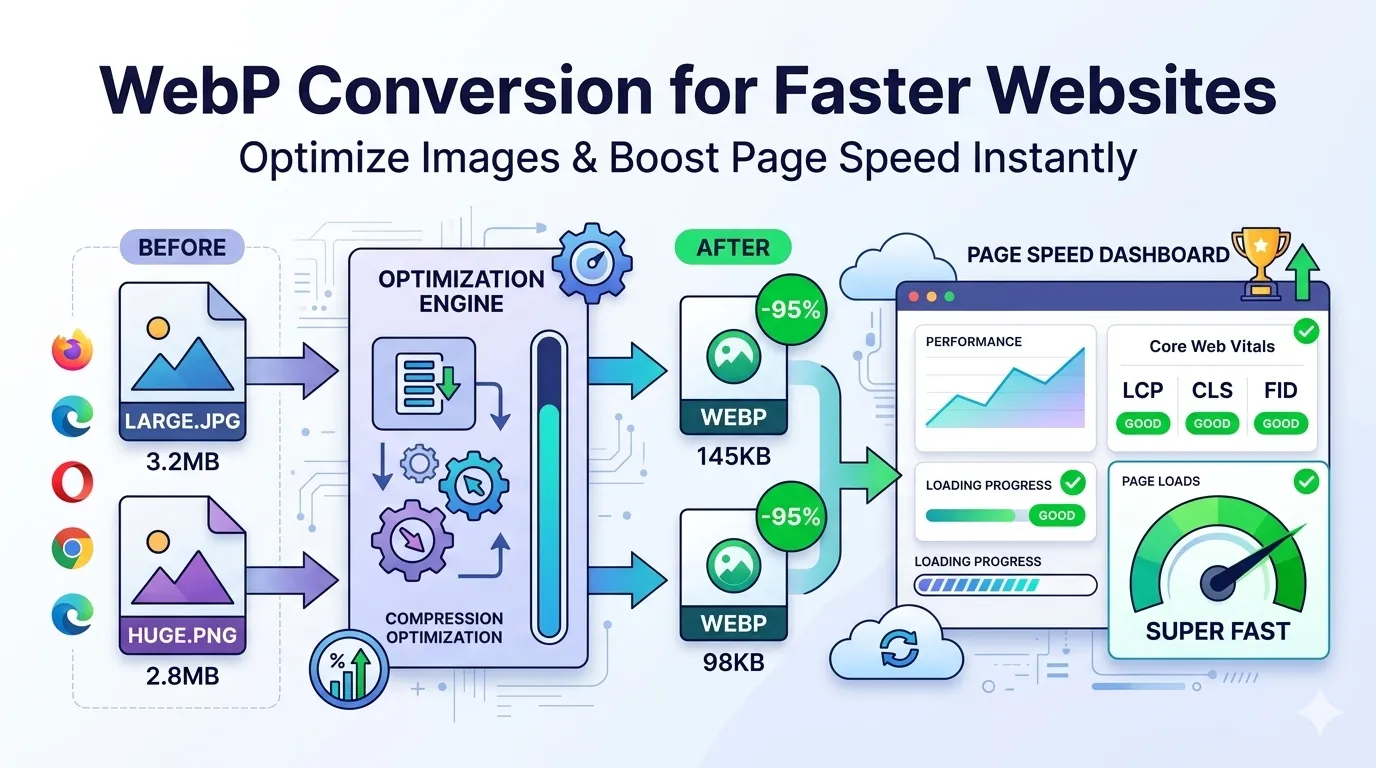
Looking for a fast win to speed up your website? WebP conversion delivers that win in seconds. Modern browsers all support WebP now, and the format shrinks images 25-35% smaller than JPG at identical quality. Your pages load faster, visitors stay longer, and SEO scores climb.
This guide explains what WebP is, walks through the easiest conversion method, and shares pro tips for maximizing speed gains. By the end, you’ll handle WebP like a performance pro.
Why WebP Beats JPG and PNG for the Web
Google created WebP specifically for web speed. It uses smarter compression than JPG, achieves smaller files than PNG, and supports transparency plus animation. That combination makes it ideal for modern websites.
Furthermore, browser support is universal now. Chrome, Firefox, Safari, and Edge all handle WebP natively. Older browsers still fall back to JPG when needed. Adoption costs nothing while gains stay massive.
Real Speed Improvements From WebP
- 25-35% smaller files than equivalent JPGs
- 26% smaller than PNG with the same quality
- Faster Largest Contentful Paint (LCP) Core Web Vitals score
- Reduced bandwidth costs for traffic-heavy sites
- Improved mobile performance on slow connections
- Better SEO from faster overall page speed
Step-by-Step: Convert Images to WebP Online
Browser-based WebP converters handle the work in seconds. No software downloads or technical setup required.
Step 1: Upload Your Images
Visit our Image to WebP converter. Drag JPG or PNG files into the upload zone. The tool handles dozens of images at once for batch processing.
Step 2: Choose Quality Settings
Pick quality between 70% and 85% for most web uses. Higher settings preserve more detail but reduce savings. Lower settings shrink files dramatically but may show artifacts on photos.
Step 3: Download WebP Files
Save converted files individually or as a ZIP. Compare original and WebP sizes — savings typically run 30-50% on photos. Replace originals on your website for instant speed improvements.
WebP vs Other Modern Formats
| Format | Size vs JPG | Browser Support |
|---|---|---|
| WebP | 25-35% smaller | 97%+ globally |
| AVIF | 50% smaller | 92%+ globally |
| JPG XL | 60% smaller | Limited support |
| JPG | Baseline | 100% |
| PNG | Often larger | 100% |
Implementing WebP on Your Website
Upload WebP files to your site like any other image. For maximum compatibility, use the HTML picture element with fallback formats. This ensures older browsers see JPGs while modern ones get WebP.
Most modern CMS platforms handle WebP automatically. WordPress 5.8+ supports native WebP uploads. Cloud platforms like Cloudflare Images convert files on-the-fly. Check your stack’s documentation for built-in support.
Tips for Maximum WebP Savings
Smart habits stretch WebP gains. First, resize images before WebP conversion using our Image Resizer. Smaller dimensions multiply WebP’s compression benefits.
Second, pick quality level based on content. Photos handle 75% quality well. Graphics with text need 85%+ to prevent edge blur. Third, batch-convert entire libraries at once for consistent treatment across your whole site.
Common WebP Concerns Addressed
- Browser compatibility: 97%+ of users have WebP support; older ones get JPG fallback
- SEO impact: Faster pages rank better; WebP only helps SEO scores
- Social media sharing: Some platforms convert WebP back to JPG automatically
- Email display: Use JPG for email signatures since some clients lack WebP support
- Print needs: Print pipelines may not handle WebP; export to JPG/PNG when printing
Privacy When Converting Web Assets
Website images often carry brand value. Pick WebP converters processing files in your browser. Assets stay on your device, protecting proprietary visuals from third-party storage.
Read each tool’s privacy policy first. Reputable services delete uploads within an hour. Avoid platforms requiring account creation for one-off image format conversions.
Combining WebP With Other Optimizations
WebP works best as part of a complete optimization stack. Resize before converting using our Image Resizer. For broader compression on multiple formats, pair with our Image Compressor.
Still need JPG for compatibility? Run images through our Image to JPG converter. For transparency-dependent graphics, our Image to PNG converter handles that need.
When WebP Isn’t the Right Choice
WebP isn’t universal yet. Email signatures sometimes fail to display WebP. Print platforms often require JPG or TIFF. Older photo management apps may not open WebP files.
Reserve WebP for web-facing content. Keep JPG copies for emails, print, and compatibility-sensitive contexts. Save WebP work for your highest-traffic pages where speed gains matter most.
Measuring WebP’s Speed Impact
Track the speed improvements WebP delivers. Google PageSpeed Insights highlights image-related issues. Run before/after tests to see Largest Contentful Paint improvements. WebRetro’s WebPageTest also reveals bandwidth savings clearly.
Most sites see 1-3 second LCP improvements after WebP migration. Core Web Vitals scores jump. Real users notice faster loads, especially on mobile networks where every kilobyte counts.
Make Your Site Faster Today
WebP gives you faster pages, better SEO, and happier visitors with one simple conversion. Browser support is here. Compression gains are real. Implementation costs nothing more than a few clicks per image.
Try our Image to WebP converter today. Free, secure, and ready to deliver speed gains across your entire website without any quality compromises.