
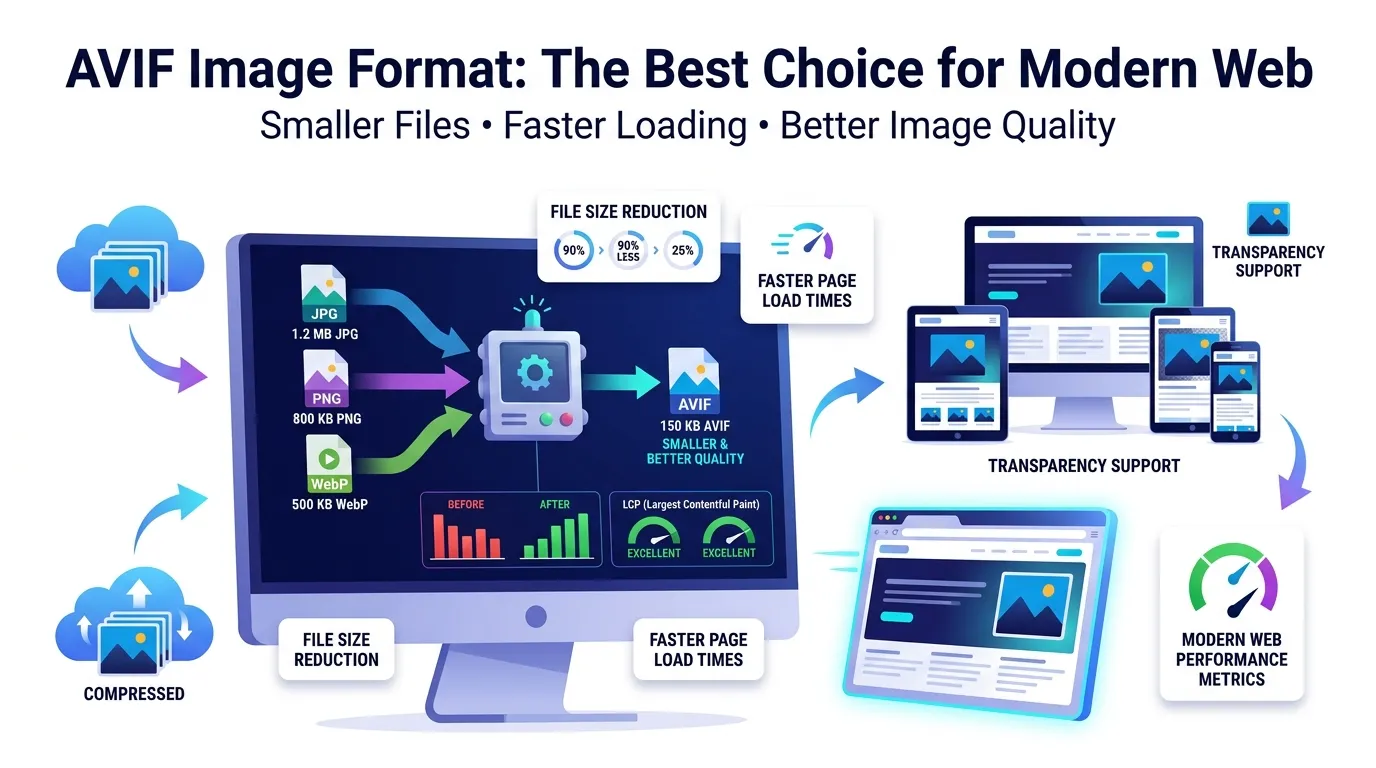
Looking at the AVIF image format and wondering if it’s worth adopting? You’re asking the right question. AVIF cuts file size up to 50% smaller than JPG while preserving stunning quality. For modern websites, it’s the next big jump after WebP.
This guide explains what makes AVIF special, walks through easy conversion online, and shares smart tips for adoption. By the end, you’ll know exactly when AVIF beats WebP and JPG.
Why AVIF Is Taking Over Image Compression
AVIF was built from the AV1 video codec. That means it borrows years of advanced compression research. The result? Files dramatically smaller than JPG or even WebP at identical visual quality.
Furthermore, AVIF handles modern needs natively. HDR support keeps colors vivid. Transparent backgrounds work without bloat. Wide gamut profiles render exactly as designed. These features matter for premium content.
Where AVIF Shines
- High-traffic websites needing maximum performance
- Photography portfolios where quality matters
- E-commerce galleries with hundreds of product photos
- News sites delivering rich photo galleries on mobile
- Streaming thumbnails that need fast preview loading
- Apps targeting mobile users on metered data plans
Step-by-Step: Convert Images to AVIF Online
Online tools handle AVIF conversion in seconds. No software downloads needed. The workflow stays simple even for non-technical users.
Step 1: Upload Your Images
Visit our Image to AVIF converter. Drag JPG, PNG, or WebP files into the upload zone. Most tools handle batches of dozens at once.
Step 2: Choose Quality Settings
Pick quality around 75-85% for most web uses. Higher settings keep detail crisp. Lower ones aggressive savings but may show artifacts on flat colors.
Step 3: Download Converted AVIF Files
Save the AVIF files individually or as a ZIP. Compare sizes — savings often exceed 50% versus JPG. Upload them to your website with fallback formats for older browsers.
AVIF vs WebP vs JPG: Quick Comparison
| Format | Size vs JPG | Browser Support |
|---|---|---|
| AVIF | 50% smaller | 92%+ globally |
| WebP | 30% smaller | 97%+ globally |
| JPG | Baseline | 100% |
| PNG | Often larger | 100% |
Implementing AVIF With Fallbacks
Browser support hits 92% globally, but a small percentage of users still need fallbacks. Use the HTML picture element with AVIF first, WebP next, and JPG last. Browsers pick the best format they support automatically.
Many CDN platforms now handle AVIF conversion on the fly. Cloudflare Images and similar services deliver AVIF to supported browsers while serving JPG to legacy ones. Check your stack for built-in options.
Tips for Maximum AVIF Savings
Small habits stretch AVIF’s gains. First, resize images before AVIF conversion using our Image Resizer. Smaller dimensions amplify compression benefits.
Second, pick quality settings carefully. Photos handle 75% well. Graphics with text need 85%+ to keep edges crisp. Third, batch-convert entire libraries once for consistent treatment across your site.
Common AVIF Concerns Addressed
- Slower conversion times: AVIF needs more processing than JPG
- Limited editing software: Most pro editors now support AVIF natively
- Social media uploads: Convert to JPG before posting to legacy platforms
- Email signatures: Skip AVIF; use JPG for maximum email client support
- Print pipelines: Export to TIFF or JPG for press-ready output
When to Pick AVIF Over WebP
WebP suits everyday needs with broader compatibility. AVIF makes sense when squeezing the last drops of performance. Sites with massive image libraries or premium imagery benefit most from AVIF.
For most blogs and small business sites, WebP delivers enough savings. AVIF pays off for high-traffic media properties, photography portfolios, and e-commerce stores with thousands of product images.
Privacy When Converting Brand Assets
Brand visuals carry proprietary value. Pick AVIF converters processing files in your browser. Assets stay on your device throughout conversion, protecting design investments.
Read each tool’s privacy policy first. Reputable services delete uploads within an hour. Avoid platforms requiring account creation for one-off conversions of confidential design files.
Combining AVIF With Other Tools
AVIF fits into bigger optimization workflows. Resize first using our Image Resizer. Compress alternatives with our Image Compressor.
For fallback creation, route through our Image to JPG converter or Image to WebP converter. Together they form a complete modern image pipeline.
When AVIF Doesn’t Make Sense
AVIF isn’t universal yet. Email signatures often fail. Print platforms don’t accept AVIF. Legacy CMS or e-commerce platforms may not display AVIF correctly without updates.
Reserve AVIF for web-facing content with fallback formats. Save JPG and WebP for compatibility-critical use cases like email, print, or older platforms. Match format to actual delivery channel.
Upgrade Your Image Pipeline to AVIF
Web performance keeps getting more important. AVIF delivers the biggest single jump available in image optimization today. With proper fallbacks, every visitor gets the fastest version their browser supports.
Try our Image to AVIF converter today. Free, secure, and ready whenever your website needs serious speed gains without sacrificing visual quality.