
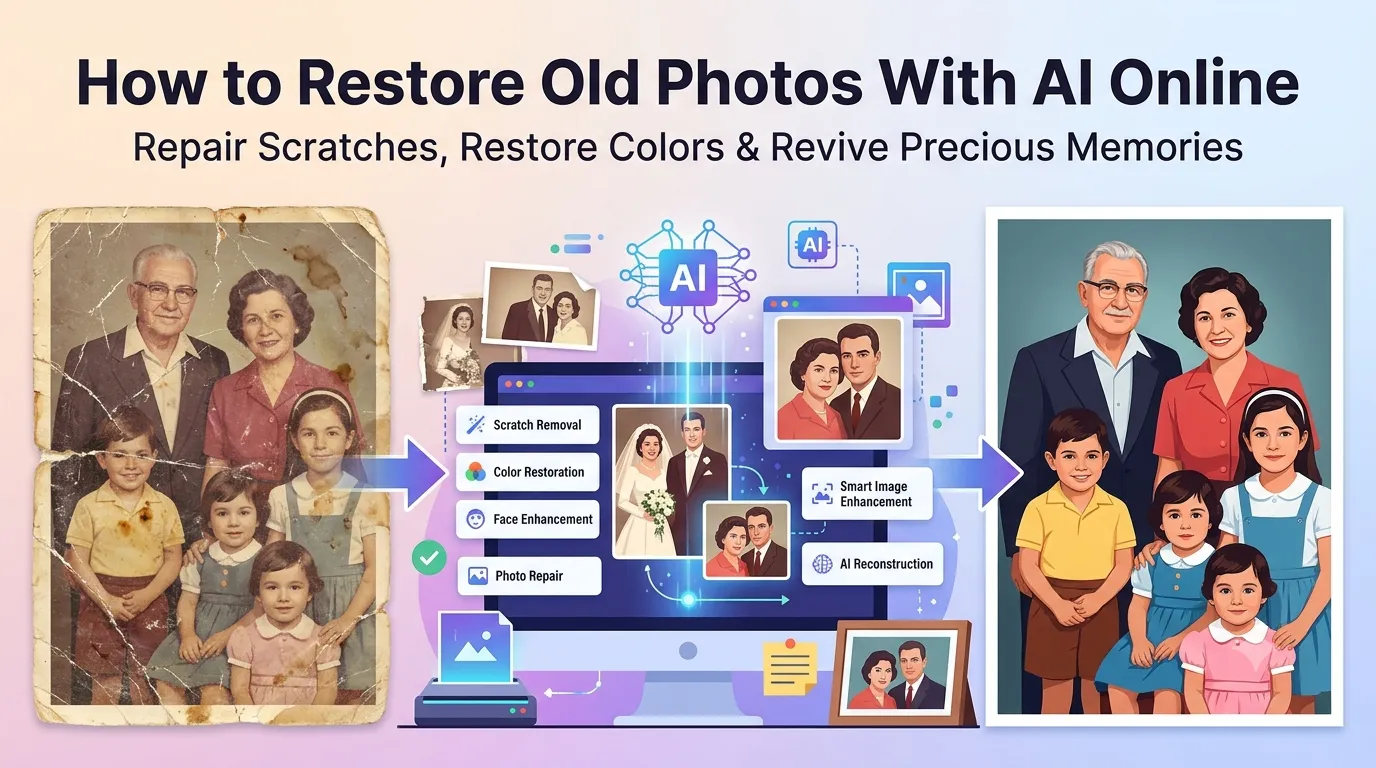
Found old family photos with scratches, tears, and faded colors? Learning how to restore old photos with AI online brings those memories back to life. AI restoration removes damage, sharpens details, and revives faded colors in seconds. No darkroom or Photoshop skills required.
This guide walks through the easiest method, explains common damage types AI fixes, and shares pro tips for stunning revival results. By the end, you’ll rescue treasured memories trapped in damaged prints.
Why AI Restoration Beats Traditional Methods
Traditional restoration takes hours of manual Photoshop work. Each scratch requires clone stamping. Each crease needs healing brush touches. Skilled retouchers charge hundreds per photo for serious damage repair.
Furthermore, AI restoration handles the work automatically. It identifies scratches, tears, and discoloration instantly. Then it rebuilds those areas based on learning from millions of photos. The result often looks better than the original ever appeared.
Photo Damage AI Can Fix
- Scratches and creases from physical mishandling
- Torn corners and missing edges
- Color fading from sun exposure over decades
- Yellowing from old photo chemicals
- Spots, stains, and water damage
- Blurry focus from amateur cameras of past eras
Step-by-Step: Restore Photos With AI
Browser-based AI restoration tools handle damage repair in seconds. No design skills required.
Step 1: Scan Your Old Photo
Use a flatbed scanner at 600 DPI for best results. Phone photos of prints work too, but quality drops. Lay the original flat and capture even lighting. The cleaner your scan, the better AI can work with the source.
Step 2: Upload to AI Restoration Tool
Visit our AI Photo Restoration tool. Drag your scanned image into the upload zone. The tool processes damage automatically using deep learning.
Step 3: Download Restored Photo
Save the restored image. Print it, frame it, or share it with family. Combined with our Photo Colorizer, you can turn black and white restorations into colorized memories too.
What AI Restoration Can and Can’t Do
| Damage Type | AI Success Rate |
|---|---|
| Minor scratches | Excellent |
| Major creases | Very good |
| Faded colors | Very good |
| Torn corners | Good with reconstruction |
| Missing major sections | Variable; some guesswork involved |
| Heavy water damage | Limited; major detail loss |
Tips for Successful Photo Restoration
Smart scanning maximizes AI results. First, scan at high resolution like 600 DPI. Lower resolutions hide details AI needs to work with. Second, scan straight without crooked angles. Tilted scans confuse AI edge detection.
Third, clean physical photos gently before scanning. Remove dust with soft brushes. Avoid liquids that could further damage already-fragile prints. Better source scans always produce better AI-restored results.
Common Restoration Issues
- Over-smoothed faces: AI sometimes plasticizes skin; reduce smoothing if available
- Invented details: AI fills gaps with plausible but not original detail
- Color over-saturation: Modern AI tends toward vivid colors
- Lost subtle expressions: Heavy restoration may flatten micro-expressions
- Sharpening artifacts: Reduce sharpen strength for natural-looking results
Combining Restoration With Colorization
For maximum impact, combine restoration with colorization. First restore damage. Then colorize the cleaned black and white result. The two-step process delivers stunning revivals of vintage family photos.
Many families discover that 100-year-old wedding photos transform into vibrant, modern-looking images this way. Grandparents come alive in color. The emotional impact of seeing relatives in restored full color is genuinely moving.
Privacy When Restoring Family Photos
Family photos carry deep personal value. Pick AI restoration tools processing files in your browser. Memories stay on your device, not on third-party servers indefinitely.
Read each tool’s privacy policy first. Pick services offering automatic file deletion. Avoid platforms requiring permanent account creation for one-off restoration tasks involving family heirlooms.
Combining Restoration With Other Tools
Restoration pairs with broader photo workflows. Crop tightly first using our Image Cropper to focus on the subject. Upscale low-resolution scans via our AI Image Upscaler before restoration.
For print delivery, save as TIFF using our Image to TIFF converter. Each tool fits a specific step in resurrecting vintage memories.
When Manual Restoration Beats AI
Some photos hold such importance that AI alone isn’t enough. Severely damaged irreplaceable photos benefit from skilled human retouchers. They preserve subtle details AI might gloss over.
For most family photos, AI delivers stunning results in seconds. Save professional services for masterpiece-level restoration on truly priceless images. Combine both approaches for the most precious memories.
Bring Family Memories Back to Life
Damaged photos hold precious memories that fade more every year. AI restoration rescues those memories before they disappear forever. With the right tool, you give grandparents, weddings, and childhood moments a second chance to shine.
Try our AI Photo Restoration tool today. Free, secure, and ready whenever your family treasures deserve revival back to their original glory.