
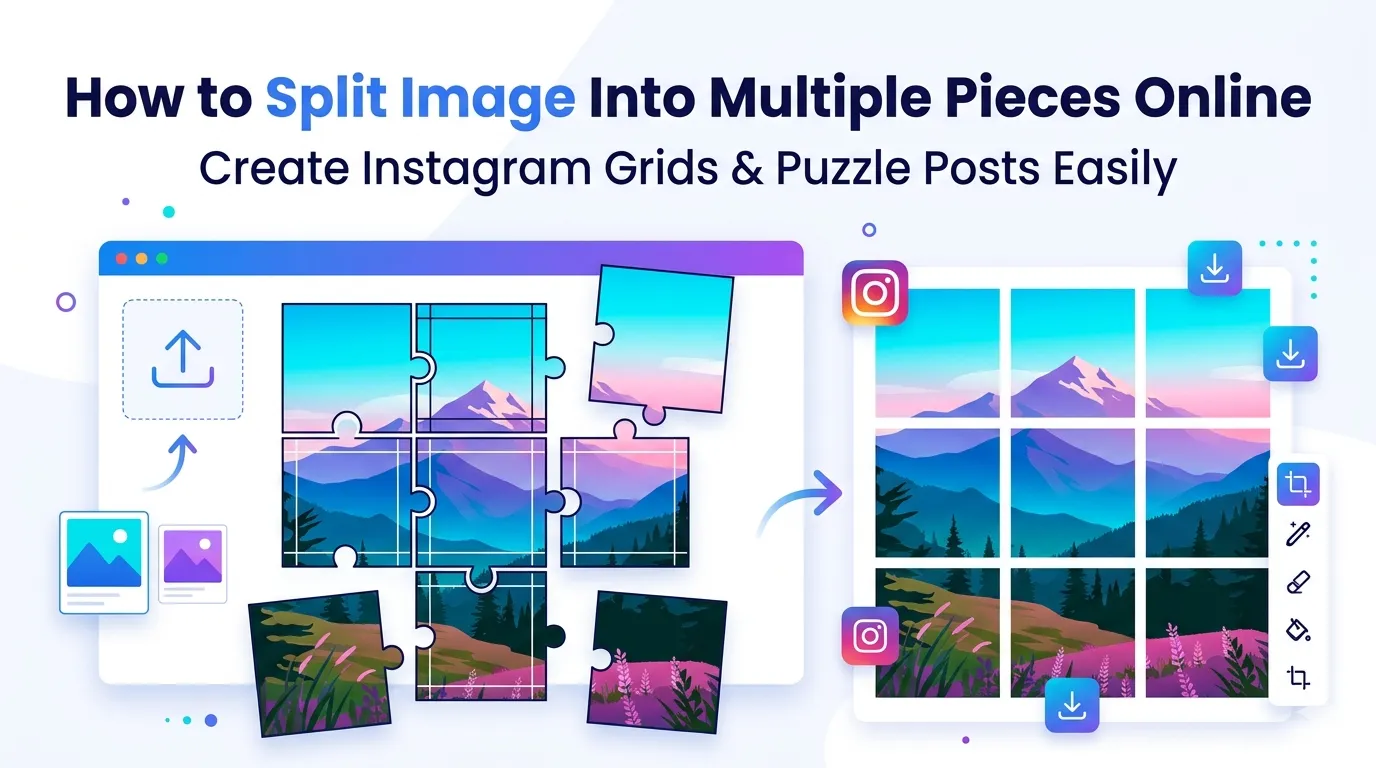
Want to split image into multiple pieces for an Instagram grid post or puzzle project? You’re tapping into one of the most creative photo tricks online. Splitting images into clean grid pieces makes single photos look like multi-post masterpieces on social media.
This guide walks through the easiest method, explains popular grid layouts, and shares pro tips for clean cuts. By the end, you’ll create eye-catching grid posts effortlessly.
Why Splitting Images Drives Engagement
Single photos compete with millions of others in feeds. Grid splits stretch one photo across three or nine Instagram posts. Followers scroll through a striking, coordinated visual sequence rather than skipping past one ordinary image.
Furthermore, grid posts build profile aesthetics. Visitors landing on your account see a curated wall of imagery that tells a bigger story. Brand accounts especially benefit from this curated, intentional appearance.
Popular Image Splitting Uses
- Creating 3×3 Instagram grid posts
- Building puzzle-style photo galleries
- Splitting panoramic photos into mobile-friendly portions
- Designing photo banner sequences for storefronts
- Producing wall art panels from single photos
- Animating sequential reveals across multiple posts
Step-by-Step: Split Images Online
Browser-based image splitters handle the work in seconds. No design software required.
Step 1: Upload Your Image
Visit our Image Splitter. Drag your photo into the upload zone. Square images work best for Instagram grids. Rectangular sources also split cleanly into row or column layouts.
Step 2: Pick Grid Layout
Choose grid dimensions: 1×3 strips, 3×3 grids, 2×4 panels, or custom. Most tools show previews so you can see exact split lines before processing. Match grid choice to your platform’s needs.
Step 3: Download Split Pieces
Save all pieces as a ZIP or download individually. Upload them in correct order to Instagram (right to left, then top to bottom). The grid forms automatically as posts publish in sequence.
Popular Grid Layouts and Use Cases
| Grid Layout | Best Use |
|---|---|
| 1×3 horizontal | Banner-style Instagram triple posts |
| 3×1 vertical | Tall split for stories or panoramic feed view |
| 3×3 grid | Classic Instagram aesthetic feed reveals |
| 2×2 quad | Compact branded series posts |
| Custom irregular | Creative editorial layouts |
Tips for Clean Grid Splits
Smart prep ensures perfect alignments. First, use square source images for 3×3 grids. Rectangular photos crop oddly. Second, plan focal points to land within single grid squares, not on cut lines.
Third, post pieces in correct order. Instagram fills the grid right to left, top to bottom. Posting first piece last means the grid appears jumbled. Number files clearly before uploading.
Common Image Splitting Mistakes
- Wrong upload order: Instagram grids fill right-to-left
- Subject on cut lines: Plan compositions to avoid split-line interruptions
- Mixed aspect ratios: Use consistent square source for 3×3 grids
- Low resolution sources: Each piece becomes its own post; sharpness matters
- Skipping preview: Always confirm split lines before downloading
Beyond Instagram: Other Split Uses
Image splitting opens creative possibilities beyond social media. Print large photos as multi-panel wall art. Create banner sequences for window displays. Build interactive puzzle gifts from family portraits.
For wall art, print each split piece on canvas. Hang them with small gaps between for gallery-style impact. The result transforms one photo into a designer multi-panel statement piece.
Privacy When Splitting Personal Photos
Photos often hold personal value. Pick image splitter tools processing files in your browser. Images stay on your device throughout the splitting process.
Always check the privacy policy. Reputable services delete uploads within an hour. Avoid platforms requiring account creation for one-off image splitting tasks.
Combining Splits With Other Photo Tools
Splitting fits broader photo workflows. Crop to perfect dimensions first using our Image Cropper. Apply filters with our Photo Filter before splitting for consistent visual style.
For final platform-ready files, compress with our Image Compressor. Resize using our Image Resizer to match specific platform dimensions.
When Splitting Doesn’t Make Sense
Casual single posts don’t benefit from splitting. The grid trick only works when followers scroll through your profile, not single posts. Personal accounts with low engagement may not see returns worth the effort.
Reserve grid splits for brand accounts, photographers, or anyone curating profile aesthetics intentionally. Single one-off posts often perform better as standalone images without grid complexity.
Build Stunning Grid Posts in Seconds
Boring single posts get scrolled past. Coordinated grids stop thumbs and build profile beauty. With the right tool, splitting photos into clean grid pieces takes seconds and transforms feeds into curated galleries.
Try our Image Splitter today. Free, secure, and ready whenever a single photo deserves grid-level attention.