
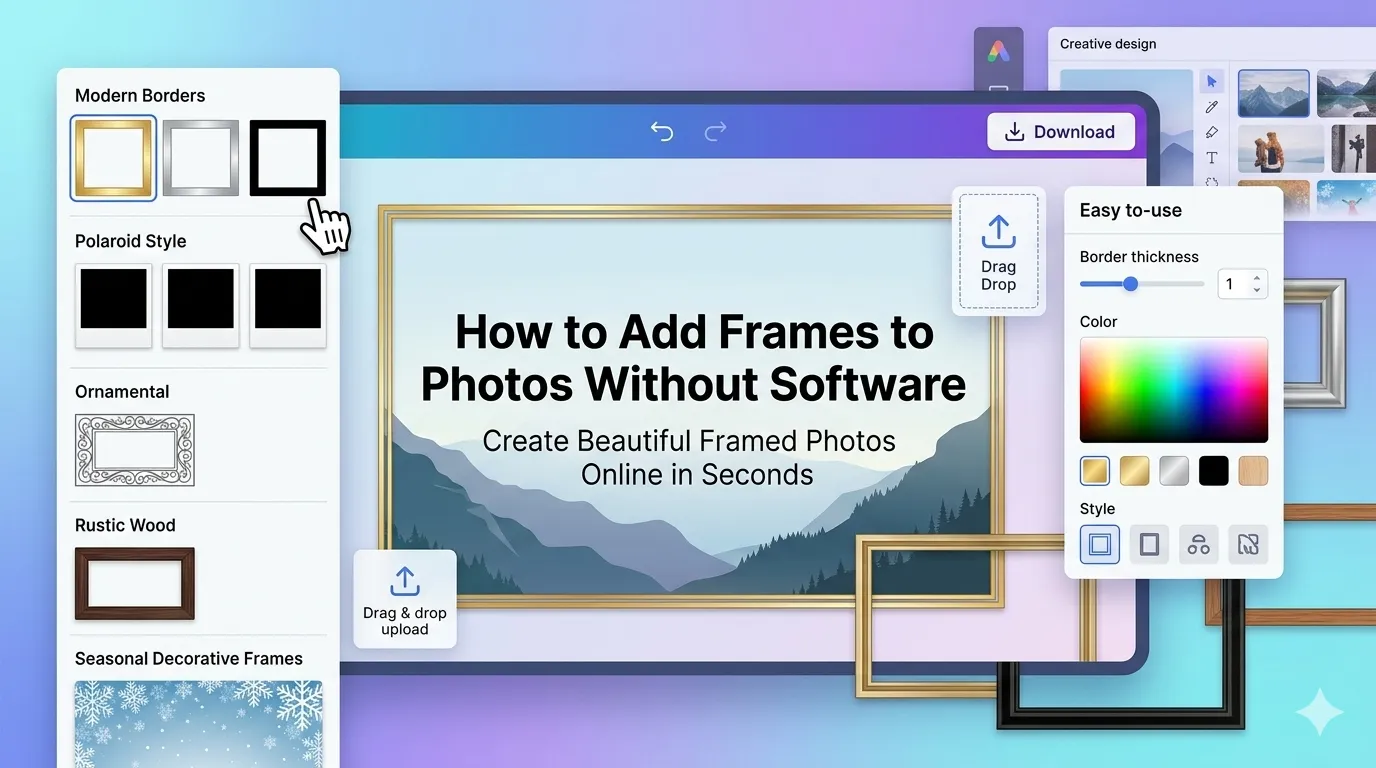
Want to add frames to photos without software cluttering your computer? You’re in the right place. Photo frames add polish, draw attention, and create gallery-worthy presentations instantly. Online frame tools handle the entire job in seconds across any device.
This guide walks through the easiest method, explores frame styles for different uses, and shares pro tips for elegant results. By the end, you’ll frame any photo like a designer.
Why Frames Elevate Ordinary Photos
Frames create instant focus. They separate your photo from surrounding content. Visitors’ eyes naturally land on framed images first. Subtle borders look professional. Bold frames demand attention.
Furthermore, frames suit specific moods. Vintage frames add nostalgia. Modern thin frames feel clean. Holiday frames celebrate seasons. The right frame style enhances any photo’s message instantly.
Popular Reasons to Frame Photos
- Creating gallery-style social media posts
- Designing greeting cards from personal photos
- Building wedding albums with consistent borders
- Adding seasonal frames for holiday posts
- Polishing thumbnail images for blog headers
- Sharing photo prints with elegant border details
Step-by-Step: Add Frames Online
Browser-based frame tools handle the work in seconds. No design software or technical skills required.
Step 1: Upload Your Photo
Visit our Photo Frame tool. Drag your image into the upload zone. JPG, PNG, and WebP formats all work seamlessly.
Step 2: Choose a Frame Style
Browse style categories: classic, modern, vintage, polaroid, ornamental, and seasonal. Pick one that matches your photo’s mood. Most tools show previews so you can see results before committing.
Step 3: Customize and Download
Adjust frame thickness, color, and texture if your tool offers customization. Apply the frame and download the finished photo. Use it on social media, in cards, or printed.
Frame Styles for Different Moods
| Frame Style | Best For |
|---|---|
| Thin border | Modern, minimalist designs |
| Polaroid | Vintage Instagram-style posts |
| Ornamental | Wedding and elegant invitations |
| Drop shadow | Subtle depth for any photo |
| Rustic wood | Cozy, country-style aesthetics |
| Seasonal | Holiday and themed posts |
Tips for Elegant Frame Choices
Smart frame habits create polished results. First, match frame style to photo content. Vintage frames suit black and white shots. Modern thin frames work for sleek product photography.
Second, keep frame proportions balanced. Frames should complement, not overpower. Third, use consistent frames across related photos. Wedding albums, product galleries, and themed series benefit from matching borders.
Common Frame Mistakes
- Over-the-top decorative frames: Distract from the actual photo
- Wrong color choice: Frame should complement, not clash with photo colors
- Inconsistent styles: Mixing frame types in galleries looks unprofessional
- Frames too thick: Heavy borders shrink the photo and feel cramped
- Wrong aspect ratio: Frame must fit photo dimensions cleanly
Creating Custom Frame Sets
For consistent branding, pick one frame style and apply it across all related photos. Wedding albums look cohesive with matched borders. Product galleries feel curated when every item shares the same frame style.
For social feeds, planned frames create recognizable visual identity. Followers learn to spot your posts instantly. This consistency boosts engagement and strengthens brand recognition over time.
Privacy When Uploading Personal Photos
Photos often carry personal value. Pick frame tools processing files in your browser. Images stay on your device throughout the framing process.
Read each tool’s privacy policy first. Reputable services delete uploads within an hour. Avoid platforms requiring account creation for one-off framing tasks involving family or personal photos.
Combining Frames With Other Edits
Frames complete polished photo workflows. Crop photos to perfect dimensions first using our Image Cropper. Apply filters using our Photo Filter for mood before framing.
For final social-ready files, compress with our Image Compressor. Bundle multiple framed photos via our Image to PDF converter for digital albums.
When Frames Don’t Help
Not every photo needs framing. Action shots gain energy from edge-to-edge composition. Editorial photography often works better without borders. Magazine layouts use white space differently than framed images.
Reserve frames for photos that benefit from focused presentation. Skip them for dynamic content where borders interrupt energy or visual flow.
Frame Your Photos for Maximum Impact
The right frame turns ordinary snapshots into gallery-worthy presentations. With the right tool, adding elegant borders takes seconds and lifts any photo. Whether for social media, cards, or prints, smart framing delivers polished results instantly.
Try our Photo Frame tool today. Free, secure, and ready whenever your photos deserve that perfect finishing touch.