
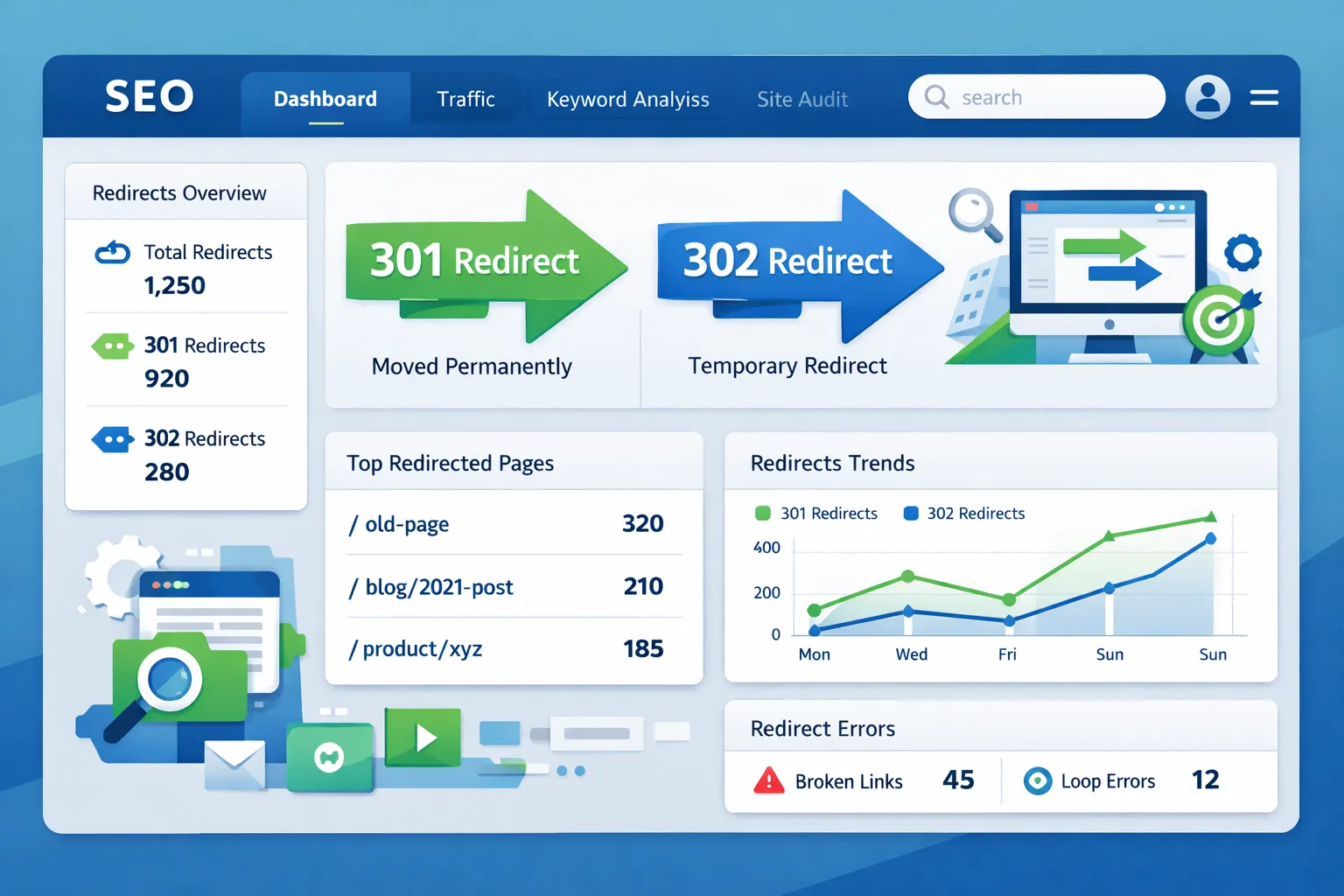
If you are a website owner, SEO expert, or developer, redirects can act as a silent killer or a saviour for your website’s health.
Many websites lose their rankings simply because:
- Redirect chains exist
- Wrong 301 or 302 redirects are used
- Redirect loops are created
That is why using the Best Redirect Check Tools for SEO has become extremely important.
In this guide, you will learn:
- What redirect check tools are
- Why redirects are important for SEO
- Best free and paid redirect check tools
- How to detect redirect chains and loops
- How to fix redirect issues
- Advanced SEO redirect best practices
This blog is completely beginner-friendly — technical concepts are explained in simple English.
What Are Redirects in SEO?
A redirect means:
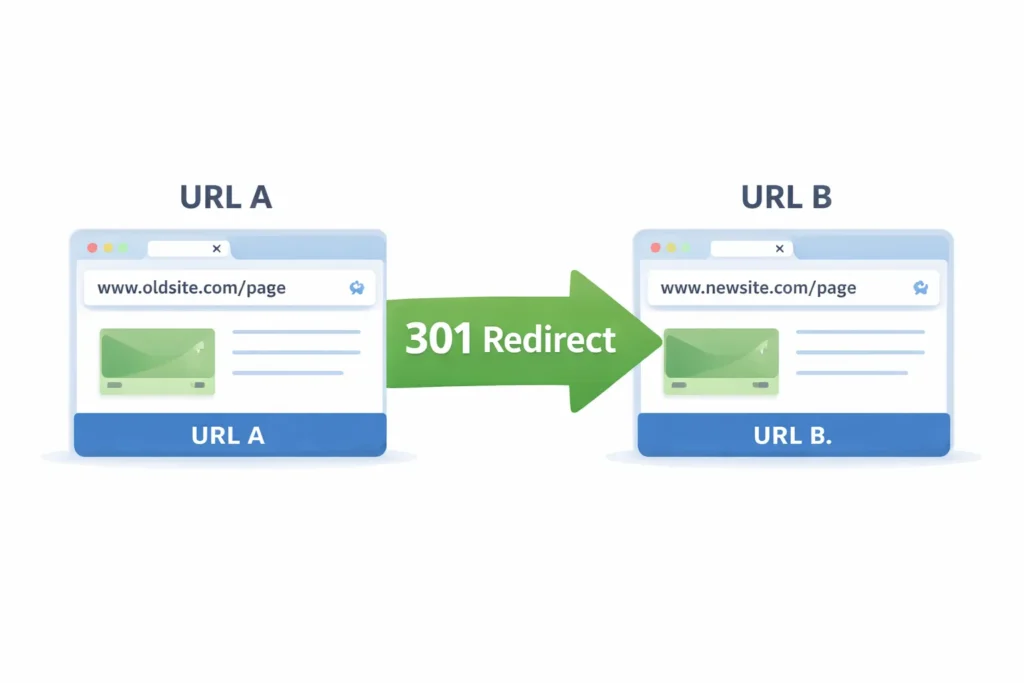
Sending a user or a search engine from one URL to another.
Example:
example.com/old-page → example.com/new-page
Redirects are used when:
- A page is deleted
- A URL is changed
- HTTPS migration is done
- A domain is changed
Types of Redirects (SEO-Friendly Explanation)
1. 301 Redirect (Permanent Redirect)
- Best redirect for SEO
- Link juice is passed
- Recommended by Google
When should you use it?
- When a page is permanently moved
- When replacing an old URL
2. 302 Redirect (Temporary Redirect)
- Used for temporary purposes
- SEO value is not fully passed
When should you use it?
- Short-term campaigns
- Temporary testing
3. 307 & 308 Redirects
- Advanced HTTP redirects
- Mostly used by developers
Why Redirect Check Tools Are Important for SEO
If you do not check redirects:
Rankings can drop
Crawl budget is wasted
Page speed becomes slow
Indexing issues occur
That is why using the Best Redirect Check Tools for SEO is essential.
What Is a Redirect Check Tool?
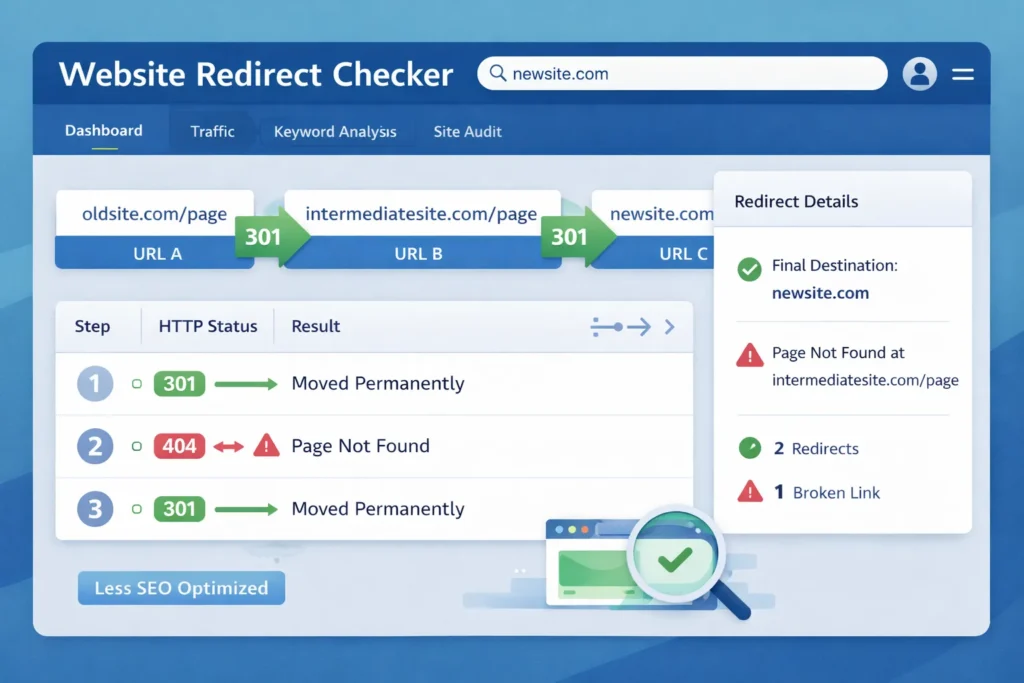
A redirect check tool is an online or software-based tool that:
Shows redirect status
Detects redirect chains
Displays HTTP status codes
Identifies SEO issues
Best Redirect Check Tools for SEO (Free & Paid)
Now comes the most important section
These tools are used by SEO experts globally.
1. Ahrefs Redirect Checker (Best Overall)
Why is it the best?
- Accurate results
- SEO-focused data
- Detects redirect chains
Features:
- 301 / 302 / 307 detection
- Redirect depth
- HTTP headers
Best for:
SEO professionals & agencies
2. Screaming Frog SEO Spider (Advanced Users)
Why is it powerful?
- Full Website SEO Score redirect audit
- Bulk redirect checking
- Crawl-level analysis
Features:
- Redirect chains & loops
- Status code reports
- Large site audits
Best for:
Large websites & technical SEO
3. Redirect Checker by Small SEO Tools (Free)
Why is it popular?
- Free and beginner-friendly
- No login required
Features:
- Single URL redirect check
- Status code information
Best for:
Beginners & bloggers
4. HTTPStatus.io Redirect Checker
Why is it unique?
- Shows the full redirect path visually
Features:
- HTTP headers
- Redirect hops
- Fast results
Best for:
Developers & technical SEOs
5. SEOptimer Redirect Checker
Why is it good?
- Combines SEO and UX
- Clean interface
Features:
- Redirect status
- SEO recommendations
6. Bulk Redirect Checker Tools
If you have hundreds of URLs, then these tools work best:
- Screaming Frog
- Ahrefs
- SEMrush Site Audit
Free vs Paid Redirect Check Tools
| Feature | Free Tools | Paid Tools |
|---|---|---|
| Single URL | ✅ | ✅ |
| Bulk Checking | ❌ | ✅ |
| SEO Insights | ❌ | ✅ |
| Redirect Chains | Limited | Full |
| Reports | ❌ | ✅ |
Recommendation:
Small site = Free tools
Big site / Agency = Paid tools
What Is a Redirect Chain? (Easy Example)
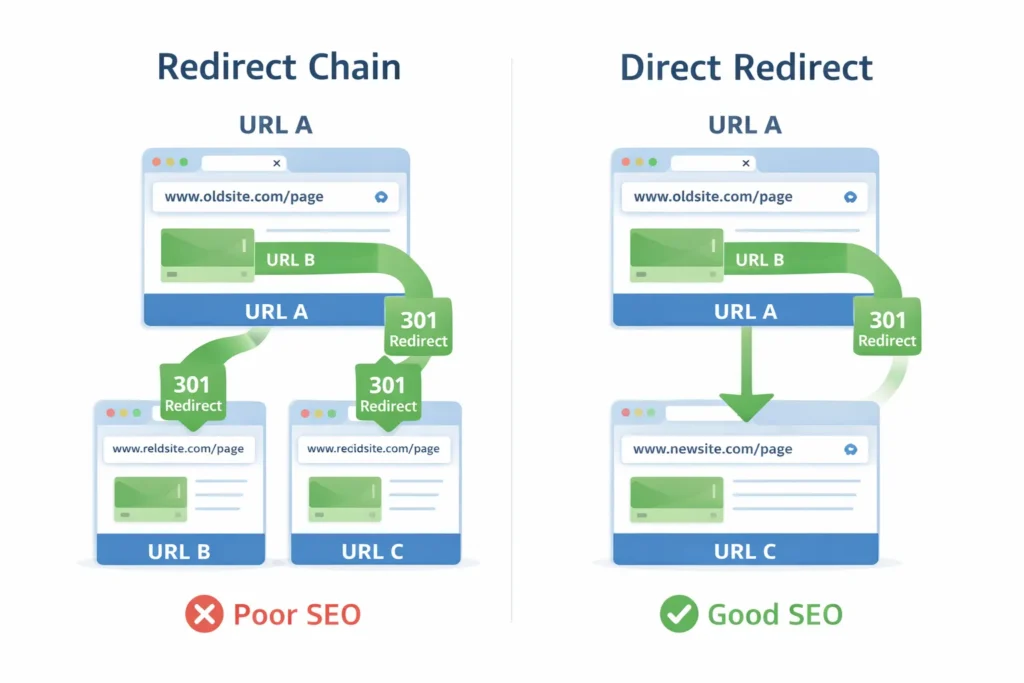
A redirect chain occurs when:
Page A → Page B → Page C → Page D
This is a bad practice for SEO.
What Is a Redirect Loop?
A redirect loop occurs when:
Page A → Page B → Page A
Google cannot crawl the page.
How Redirect Chains Affect SEO
- Page speed becomes slow
- Crawl budget is wasted
- Rankings drop
- Poor user experience
That is why the Best Website Page Size Checker Tools for SEO are used to detect redirect chains.
How to Fix Redirect Chains (Step-by-Step)Redirect Checker Tool
- Identify the final URL
- Remove intermediate redirects
- Apply a direct 301 redirect
- Re-test using a redirect checker
How to Use Redirect Check Tools (Beginner Guide)
1: Copy the URL
2: Paste it into the redirect check tool
3: Check status codes
4: Analyze redirect hops
5: Fix SEO issues
Best Practices for SEO-Friendly Redirects
Always use 301 for permanent moves
Avoid redirect chains
Avoid redirect loops
Update internal links
Monitor redirects regularly
Redirect Checker for Technical SEO
The redirect check tools are used in technical SEO for:
- HTTPS migration
- Domain changes
- Canonical issues
- Duplicate content fixes
Redirect Checker for Page Speed Optimization
More redirects = slower website
Google page speed is a ranking factor.
Solution:
- Minimal redirects
- Direct URL structure
Common Redirect Mistakes to Avoid
Using 302 instead of 301
Too many redirect hops
Broken redirect paths
No redirect testing
How Often Should You Check Redirects?
Monthly SEO audits
After the website migration
After content deletion
After URL changes
Redirect Checker & Google Guidelines
Google recommends:
- Clean redirect structure
- Limited redirect hops
- Correct status codes
This guide follows Google NLP and semantic SEO guidelines.
Future of Redirect Checking in SEO (2026)
- AI-based site audits
- Automated redirect suggestions
- Real-time redirect monitoring
Conclusion
If you take SEO seriously:
Best Redirect Check Tools for SEO should be your daily weapon.
Redirects:
- Protect rankings
- Improve user experience
- Optimize crawl budget
Whether you use a free or paid tool, never ignore redirect checking.
Faqs
Redirect check tools help you analyze URL redirects, identify 301 and 302 status codes, detect redirect chains or loops, and fix issues that can negatively impact SEO performance.
Redirects help search engines understand URL changes, preserve link equity, avoid broken pages, and maintain rankings when pages are moved, deleted, or replaced.
The best redirect check tool depends on your needs. Ahrefs and Screaming Frog are ideal for professionals, while free tools work well for beginners and small websites.
A 301 redirect is permanent and passes SEO value, while a 302 redirect is temporary and does not fully transfer link equity to the new URL.
Redirect chains slow down page speed, waste crawl budget, and reduce rankings. Search engines prefer direct redirects without multiple hops.
You should check redirects during monthly SEO audits and after website migrations, URL changes, content deletion, or major technical updates.
Free redirect check tools are reliable for basic checks and single URLs, but paid tools provide deeper analysis, bulk checking, and advanced SEO insights.