
Keeping your website or server running smoothly is critical for any online business, service, or digital project. Downtime, slow response times, or server errors can negatively impact user experience, SEO rankings, and revenue. Whether you are a website owner, IT professional, developer, or business operator, regularly checking your server status ensures your services remain accessible, fast, and reliable.
Our Server Status Checker is a free, online tool that allows you to monitor your server or website in real-time. With just a few clicks, you can check uptime, detect errors, measure response times, and maintain optimal performance. No downloads, no sign-ups, and no complex setups — everything happens instantly in your browser.
Using this tool not only saves time but also ensures your website or server is always performing at its best. Imagine detecting server downtime immediately before it affects your users — that’s the power of a reliable Server Monitoring Tool.
In this guide, we’ll explain how the tool works, its key features, extended use cases, expert tips for monitoring server performance, and everything you need to keep your online services running smoothly.
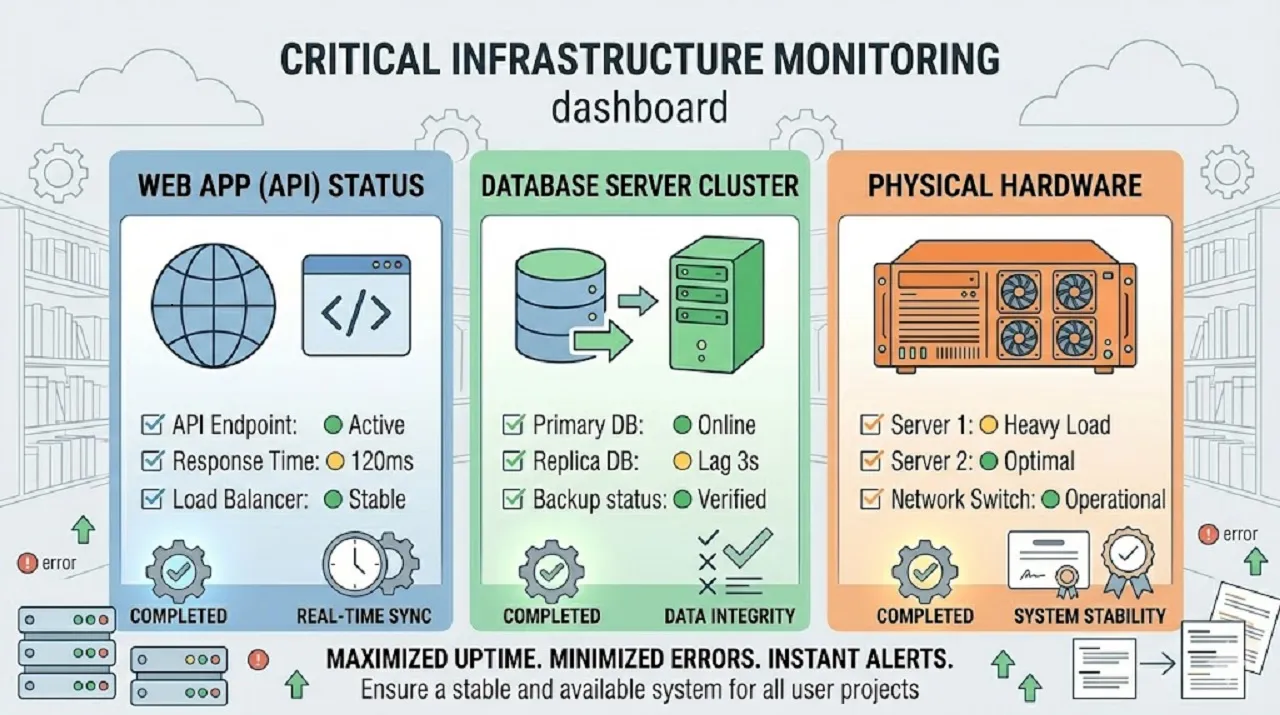
A Server Status Checker is an online tool that monitors whether your website or server is online and functioning correctly. Instead of manually checking your server or relying on user complaints, a server monitoring tool automatically detects downtime, slow responses, and errors.
Alternative names for this tool include:
Server monitoring is not just for IT teams — it’s essential for anyone running websites, applications, or online services. Here’s why:
Example: An online store may lose hundreds of dollars per hour during server downtime. Using a Server Uptime Checker, they can receive immediate alerts and fix issues before customers are affected.
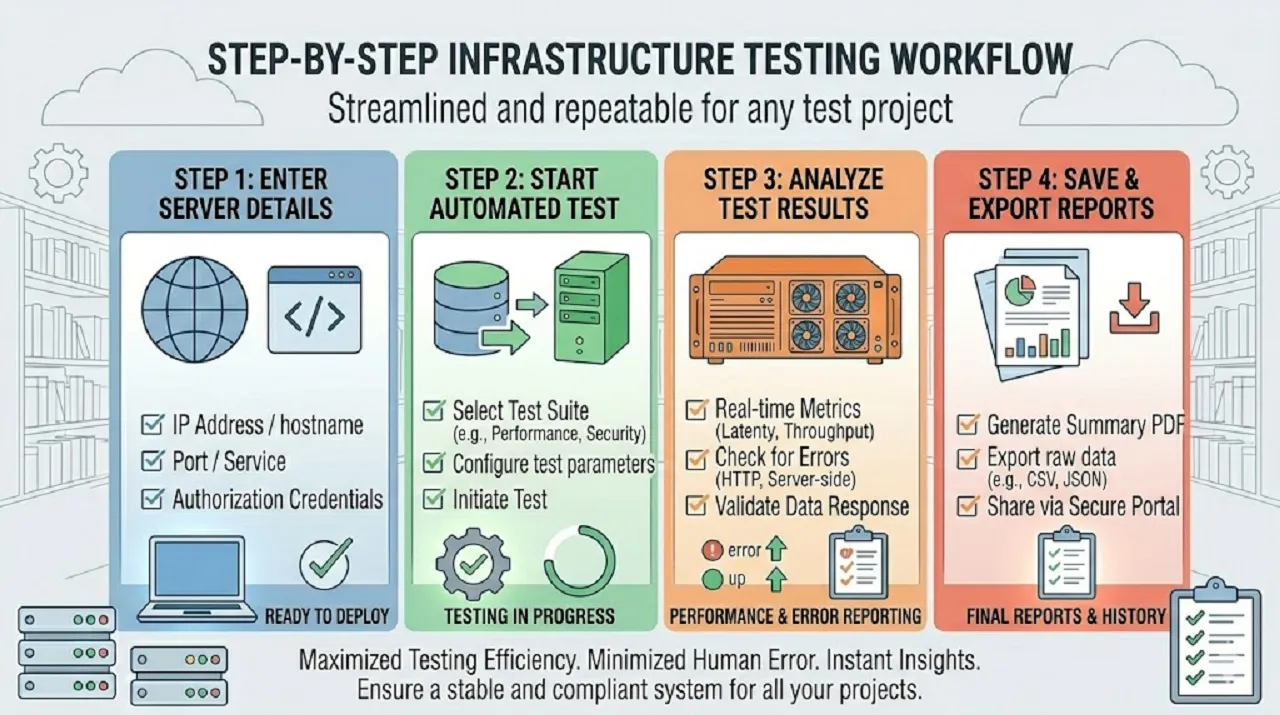
Monitoring your server or website is crucial to ensure uninterrupted service and optimal performance. Using a reliable Server Status Tool makes this process fast, accurate, and easy to manage. Follow these steps to effectively check your server status and maintain uptime:
Begin by providing the domain name or IP address of the server you wish to monitor. Whether it’s your personal server, a corporate website, or multiple client sites, inputting the correct details is key to accurate results. Many advanced tools allow you to monitor multiple servers simultaneously, saving time for IT teams and website page size managers.
Once the server information is entered, click the Check Status button. The tool will automatically ping the server to measure uptime, detect connection errors, and evaluate server responsiveness. This automated process removes guesswork and provides a reliable snapshot of your server’s health.
After the test, you’ll receive detailed insights about your server’s performance. Key information includes:
This step helps you pinpoint problems, understand server performance trends, and take proactive measures before issues escalate.
Most server monitoring tools allow you to save or export reports in PDF, CSV, or other formats. These reports are useful for IT documentation, client reporting, or internal analysis. Regularly reviewing exported reports helps track long-term server performance, detect recurring issues, and improve reliability.
If you manage multiple websites or servers, batch monitoring lets you check all of them at once. This feature saves time, reduces manual work, and ensures consistent uptime tracking across your entire infrastructure. It’s especially valuable for IT teams, SaaS providers, and digital agencies managing client sites.
By following these steps, you can efficiently monitor your servers, prevent downtime, and maintain a high-quality user experience for your visitors or clients.
Our Server Monitoring Tool is designed to make server tracking fast, reliable, and effortless. Whether you manage websites seo score, applications, or network services, these features ensure continuous uptime and optimal performance:
Monitor your servers anytime, anywhere—directly from your browser. No downloads, installations, or complicated setup required.
Keep an eye on multiple websites or servers simultaneously. Perfect for businesses managing several domains, cloud services, or client projects.
Receive real-time uptime and performance updates. Immediate feedback helps you respond quickly to server issues and maintain service reliability.
Our tool works with websites, HTTP/HTTPS services, FTP servers, databases, and more. Regardless of server type, you can track its status efficiently.
Monitor multiple servers at once for streamlined oversight. Batch processing saves time and ensures no server is left unchecked.
Access the monitoring dashboard from any device—desktop, tablet, or smartphone—without losing functionality.
Stay informed with instant alerts via email or SMS whenever downtime occurs or server performance slows down.
Analyze uptime history, response times, and trends over weeks or months. Use this data to identify recurring issues and optimize server performance.
These features make our Server Status Checker an essential tool for website owners, IT teams, SaaS providers, and businesses seeking reliable server monitoring and uninterrupted online services.
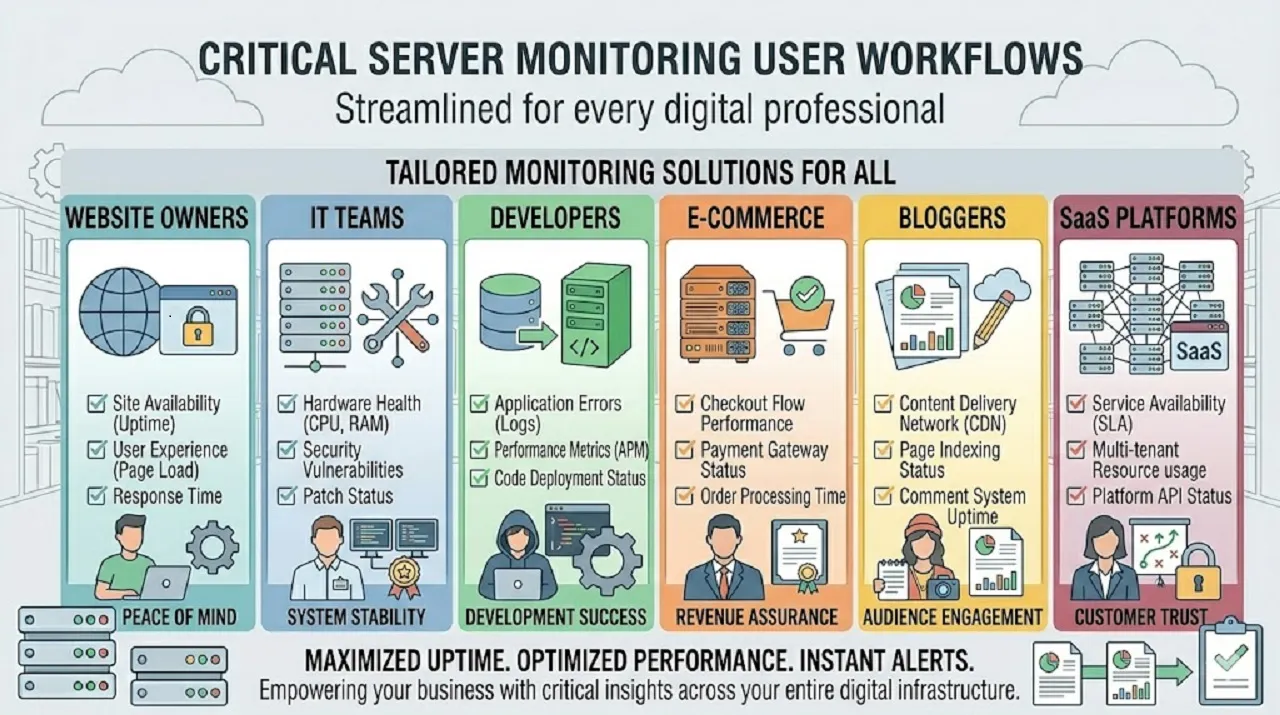
A Server Monitoring Tool or Website Uptime Checker is a versatile solution that benefits a wide range of users. Whether you manage websites, applications, or online services, monitoring server health ensures reliability, performance, and user satisfaction. Here’s who benefits the most:
By using a Server Status Checker or Website Monitoring Tool, you can proactively maintain server uptime, improve performance, and ensure your website or application is always reliable, fast, and accessible to users.
Monitoring server status goes beyond checking if a server is online. Effective monitoring ensures optimal performance, minimal downtime, and a smooth user experience. Here are some practical tips to maximize your Server Status Tool or Website Monitoring Tool:
Servers may respond differently depending on geographic location. Testing availability from multiple regions helps detect localized outages and network issues before they affect users globally.
Uptime alone doesn’t guarantee performance. Monitor server response times, page load speeds, and API latency. Slow servers can frustrate users and negatively impact SEO.
Set up notifications for downtime or slow performance via email, SMS, or app alerts. Quick alerts allow immediate troubleshooting, reducing potential revenue loss or user dissatisfaction.
If you manage several servers or websites, batch monitoring lets you check all at once. This ensures no server is overlooked and saves time on large networks or cloud infrastructures.
Review performance trends and uptime history to identify recurring problems, peak load times, or potential infrastructure weaknesses. This proactive approach helps prevent future downtime and improves server reliability.
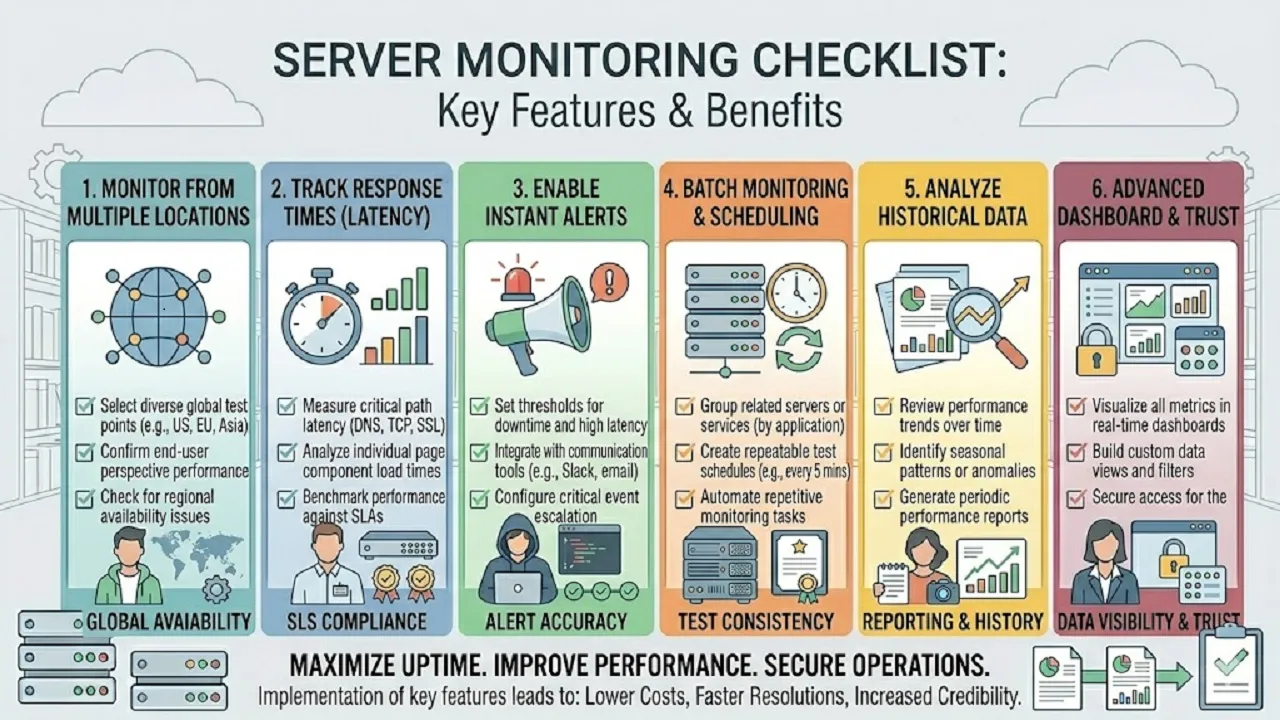
Following these practices ensures reliable server monitoring, faster troubleshooting, and a better experience for your users.
Keeping your servers up and running smoothly is essential for any online business or website. Even short periods of downtime can affect revenue, credibility, and user experience. Using a Server Status Tool helps you detect problems early, maintain performance, and prevent costly interruptions.
For online shops, downtime means lost sales and frustrated customers. A Server Status Checker alerts you immediately, allowing quick fixes so visitors can browse and purchase without interruptions.
Software services need reliable uptime to satisfy users. Monitoring server health ensures continuous access to applications, prevents service disruptions, and protects your subscription base.
Corporate sites and internal systems rely on servers for smooth operations. Monitoring server status helps maintain credibility, ensures internal tools work properly, and supports overall business efficiency.
Websites that deliver content or resources need consistent uptime to retain visitors and maintain SEO rankings. A Website Status Tool provides alerts and performance metrics, keeping your site accessible and search-engine-friendly.
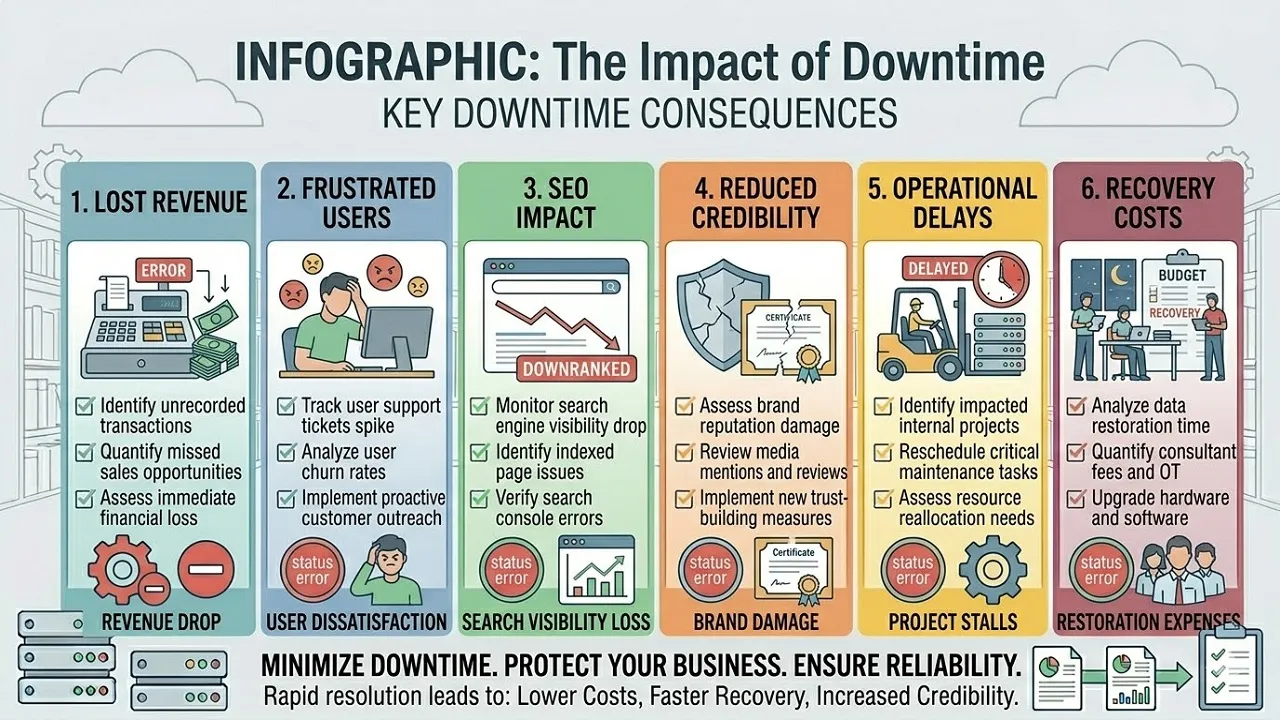
Regular server monitoring helps identify issues before they become major problems. By tracking performance trends, you can optimize resources, reduce downtime, and provide a reliable experience for users.
Key Takeaways:
Using a reliable Server Status Tool ensures your website or service stays online, performs optimally, and keeps users satisfied.
Don’t wait for downtime to impact your website or business. Use our Server Status Checker to:
Ensure uninterrupted access, improve user experience, and protect your online presence with real-time server monitoring.