
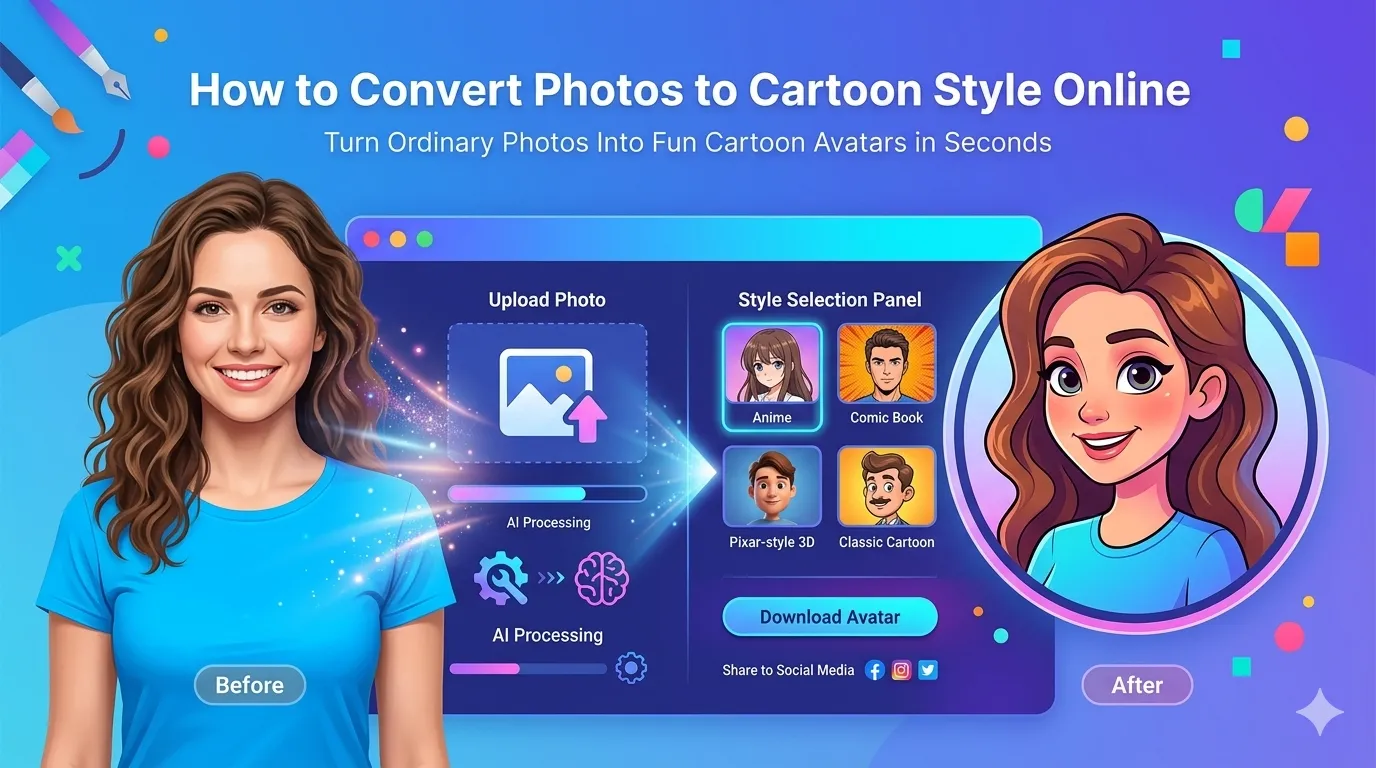
Want to convert photos to cartoon style for fun avatars, social media posts, or playful gifts? You’re tapping into one of the most popular AI photo effects available. Cartoon transformations turn ordinary snapshots into bold, animated-style art that grabs attention everywhere.
This guide walks through the easiest method online, explains different cartoon styles, and shares pro tips for vibrant results. By the end, you’ll create eye-catching cartoon versions of any photo in seconds.
Why Cartoon Effects Win on Social Media
Cartoon photos stand out in feeds packed with regular shots. Bold colors, simplified shapes, and exaggerated features catch eyes instantly. Likes and comments often double when cartoons replace standard photos in posts.
Furthermore, cartoons feel friendly and fun. They soften serious photos without losing personality. Business profiles, personal feeds, and even dating apps benefit from this playful presentation that draws conversation.
Popular Uses for Cartoon Conversion
- Custom profile pictures across social media platforms
- WhatsApp avatars that show personality
- Birthday cards featuring cartoon versions of recipients
- YouTube thumbnails that stop scrolling
- Team headshots for playful company About pages
- Comic-style merchandise for friends and family
Step-by-Step: Cartoonize Photos Online
Browser-based tools handle cartoon transformations in seconds using AI. No artistic skills required.
Step 1: Upload Your Photo
Visit our Photo to Cartoon tool. Drag your portrait into the upload zone. Faces work especially well, but pets and full-body shots transform too.
Step 2: Pick a Cartoon Style
Choose from anime, Pixar-style, comic book, or classic cartoon options. Most tools show previews instantly. Test multiple styles on the same photo to find the right match for your project.
Step 3: Download the Cartoon Image
Save the transformed photo as PNG or JPG. Post it to social media, use it as your profile picture, or include it in custom designs. Cartoon avatars work beautifully across all platforms.
Different Cartoon Styles Explained
| Style | Best For |
|---|---|
| Anime | Manga fans, expressive looks |
| Pixar-style 3D | Family-friendly profiles |
| Comic book | Bold action poses |
| Classic Disney | Romantic, soft portraits |
| Caricature | Humorous exaggerations |
Tips for Better Cartoon Results
Smart prep work creates better cartoons. First, use well-lit portrait photos. AI struggles with shadowy faces or extreme angles. Soft, even lighting gives the best results.
Second, pick photos with clear expressions. Smiling or distinctive faces translate better than neutral expressions. Third, remove busy backgrounds first using our Background Remover for cleaner cartoon conversions.
Common Cartoon Conversion Issues
- Features look weird: Use straighter face angles for cleaner results
- Colors washed out: Start with vibrant, well-lit source photos
- Background confuses AI: Remove or simplify backgrounds first
- Multiple faces processed strangely: Crop to single subject if possible
- Style doesn’t fit: Try different cartoon presets until one works
Making Cartoon Profile Pictures Pop
Profile pictures need to grab attention instantly. Use bright, contrasting colors. Center the subject’s face clearly. Add a custom background that complements your personality or brand identity.
For consistent branding, apply the same cartoon style across all your platforms. Twitter, LinkedIn, Instagram, and your website should match visually. This consistency strengthens recognition every time someone sees you online.
Privacy When Uploading Personal Photos
Face photos hold biometric data worth protecting. Pick cartoon tools processing files in your browser. Photos stay on your device throughout transformation, keeping personal images private.
Read each tool’s privacy policy first. Reputable services delete uploads within an hour. Avoid platforms requiring account creation for one-off cartoon generation tasks involving family or personal photos.
Combining Cartoon With Other Tools
Cartoon creation pairs well with other photo tools. Crop tightly first using our Image Cropper to focus on faces. Resize the final cartoon with our Image Resizer to match platform specs exactly.
For sharing, compress with our Image Compressor to keep upload sizes manageable. Each tool fits a specific need in modern social media workflows.
When Cartoon Conversion Falls Short
Not every photo cartoonizes well. Extreme close-ups confuse AI. Heavily filtered sources produce muddy cartoons. Group photos with many faces get unpredictable results.
Reserve cartoon effects for single subjects in good lighting. Group transformations often require splitting photos into individuals first. Save time by picking the right photos before processing.
Transform Photos Into Eye-Catching Cartoons
Regular photos compete with billions of others online. Cartoon transformations help yours stand out instantly. With the right tool, creating bold, animated-style art takes seconds and grabs attention everywhere you share.
Try our Photo to Cartoon tool today. Free, secure, and ready whenever your photos need a playful upgrade that stops the scroll.