
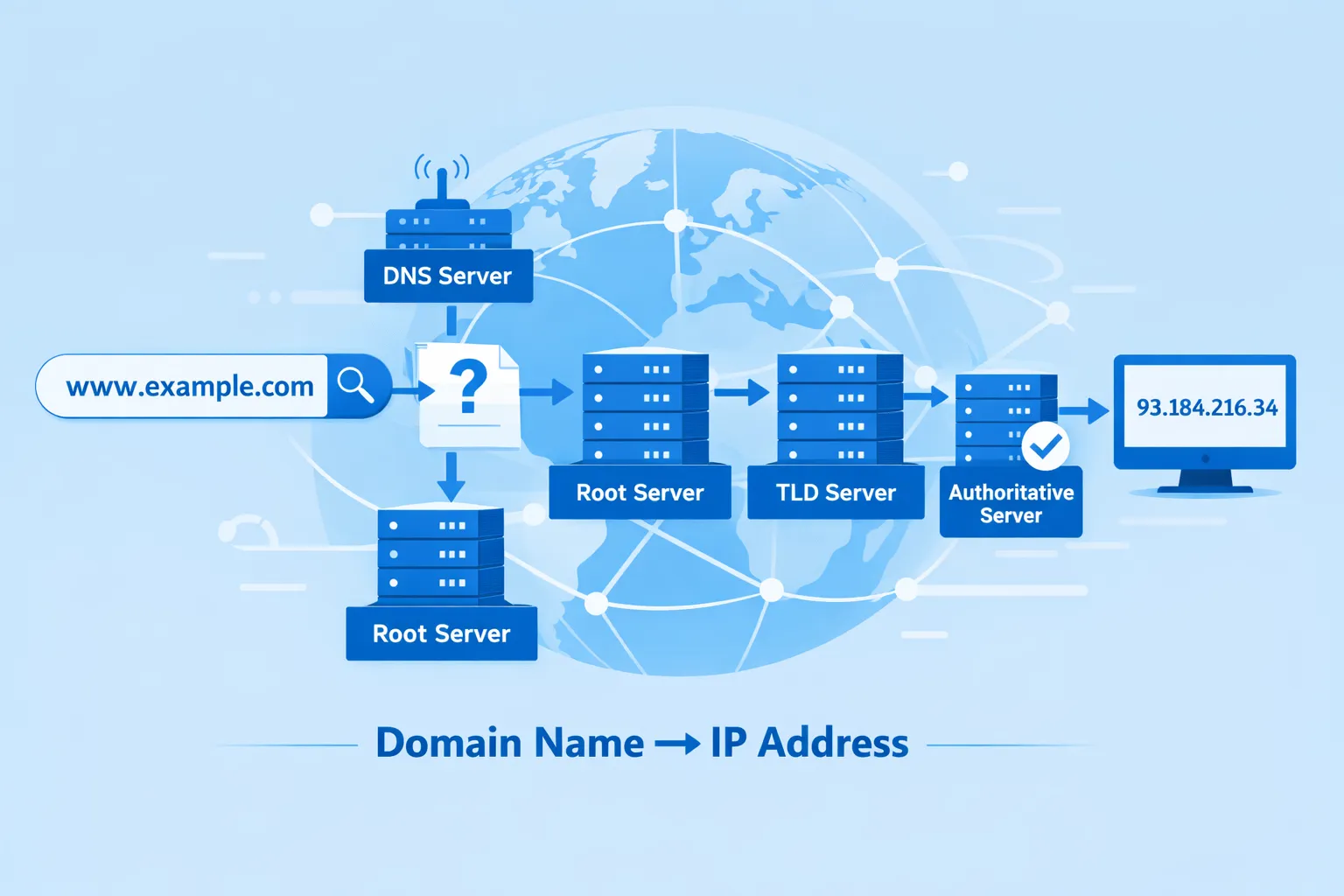
Every time you open a website, send an email, or connect to a server, DNS (Domain Name System) works silently in the background. Without DNS, the Internet simply would not work.
However, when DNS is misconfigured, websites go down, emails stop working, and users face errors. This is where a DNS Lookup Tool Online becomes extremely important.
In this complete guide, you will learn:
- What is a DNS Lookup Tool is
- How DNS works in simple words
- How to find DNS records step by step
- All DNS record types explained
- Best free DNS lookup tools
- Common DNS errors and how to fix them
- DNS security best practices
- How DNS lookup helps SEO
This guide is written in easy English, perfect for beginners, website owners, developers, and digital marketers.
What Is a DNS Lookup Tool Online?
A DNS Lookup Tool Online is a web-based tool that allows you to check and analyze DNS records of any domain name.
In simple words, it helps you see how a domain is connected to:
- Web servers
- Email servers
- Nameservers
- Security systems
You just enter a domain name, choose a DNS record type, and the tool shows you the results instantly.
Why Is a DNS Lookup Tool Online Important?
DNS problems can directly affect your website and business.
Key Benefits of Using a DNS Lookup Tool Online
- Check if your website is pointing to the correct server
- Fix email delivery issues
- Verify domain ownership
- Diagnose website downtime
- Monitor DNS changes
- Improve website security
- Help with technical SEO audits
Whether you are a beginner or an expert, a DNS Lookup Tool saves time and prevents serious issues.
How DNS Works (Simple Explanation)
Let’s understand DNS with a simple example.
DNS Works Like a Phonebook
- Domain name = Person’s name
- IP address = Phone number
When you type example.com In your browser, DNS translates it into an IP address like 192.168.1.1.
Your browser then connects to that IP address to load the website.
Without DNS, you would need to remember IP addresses instead of domain names.
What Are DNS Records?
DNS records are instructions stored in DNS servers. These records tell the internet:
- Where a website is hosted
- Where emails should be delivered
- Which servers control the domain
- How security rules are applied
A DNS Lookup Tool Online helps you find and analyze these records.
Types of DNS Records Explained (Complete List)
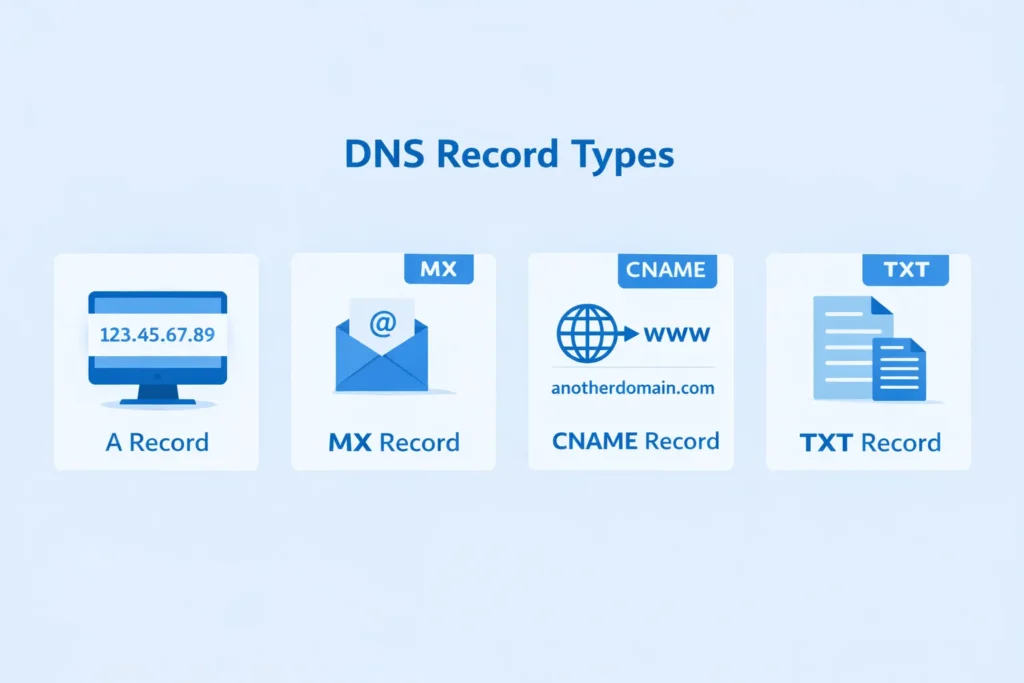
Understanding DNS record types is very important.
1. A Record (Address Record)
- Maps a domain name to an IPv4 address
- Example:
example.com → 192.168.1.1 - Most important DNS record for websites
2. AAAA Record
- Maps a domain to an IPv6 address
- Used for modern networks
3. CNAME Record (Canonical Name)
- Points one domain to another domain
- Commonly used for subdomains
- Example:
www.example.com → example.com
4. MX Record (Mail Exchange)
- Controls email delivery
- Tells which server receives emails
- Required for Gmail, Outlook, Zoho, etc.
5. TXT Record
- Stores text-based information
- Used for:
- SPF records
- DKIM records
- DMARC records
- Domain verification
6. NS Record (Name Server)
- Shows which DNS servers manage the domain
- Important for the DNS authority
7. SOA Record (Start of Authority)
- Contains administrative DNS information
- Includes refresh time, retry time, and admin email
8. PTR Record (Reverse DNS)
- Maps the IP address back to a domain name
- Used mainly by email servers
9. CAA Record
- Controls which Certificate Authorities can issue SSL certificates
- Improves security
How to Use a DNS Lookup Tool Online (Step-by-Step)
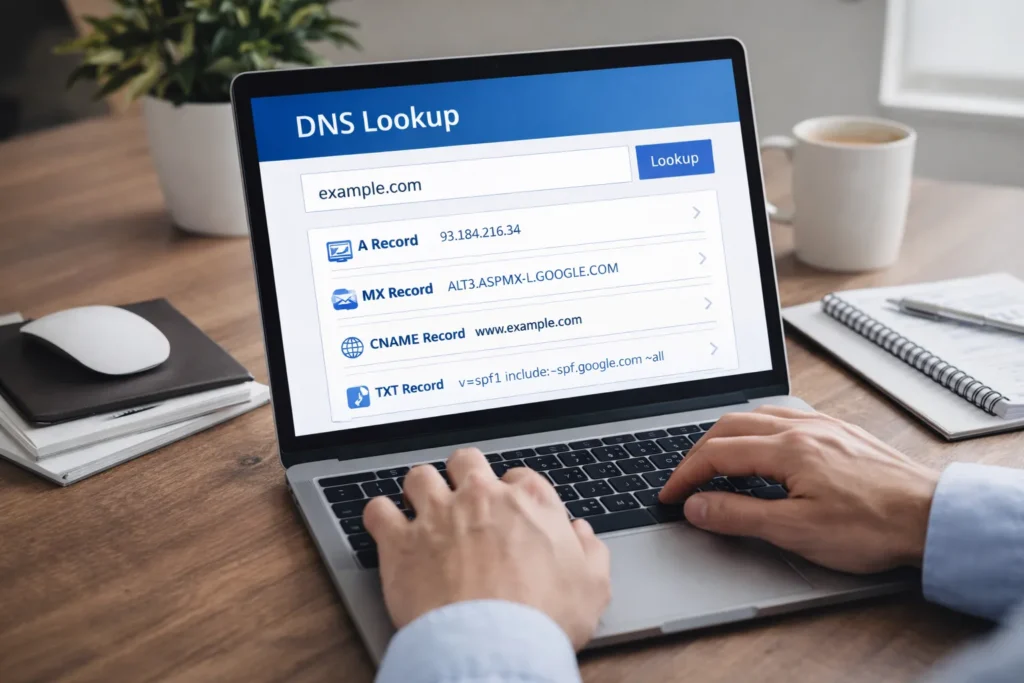
Method 1: Using an Online DNS Lookup Tool
This is the easiest method.
Steps:
- Open any DNS Lookup Tool Online
- Enter the domain name
- Select record type (A, MX, TXT, etc.)
- Click “Search” or “Lookup”
- View DNS results
No technical knowledge required
Fast and accurate
Beginner-friendly
Method 2: Using the nslookup Command
For Windows users:
nslookup example.comTo check a specific record:
nslookup -type=MX example.comMethod 3: Using the dig Command (Advanced Users)
dig example.comThe dig The command provides detailed DNS information.
Best Free DNS Lookup Tools Online
Here are some popular and trusted tools:
- DNSChecker
- MXToolbox
- WhatsMyDNS
- Nslookup.io
- Google Dig Tool
These tools allow you to check DNS records from multiple locations worldwide.
Common DNS Problems & How to Fix Them
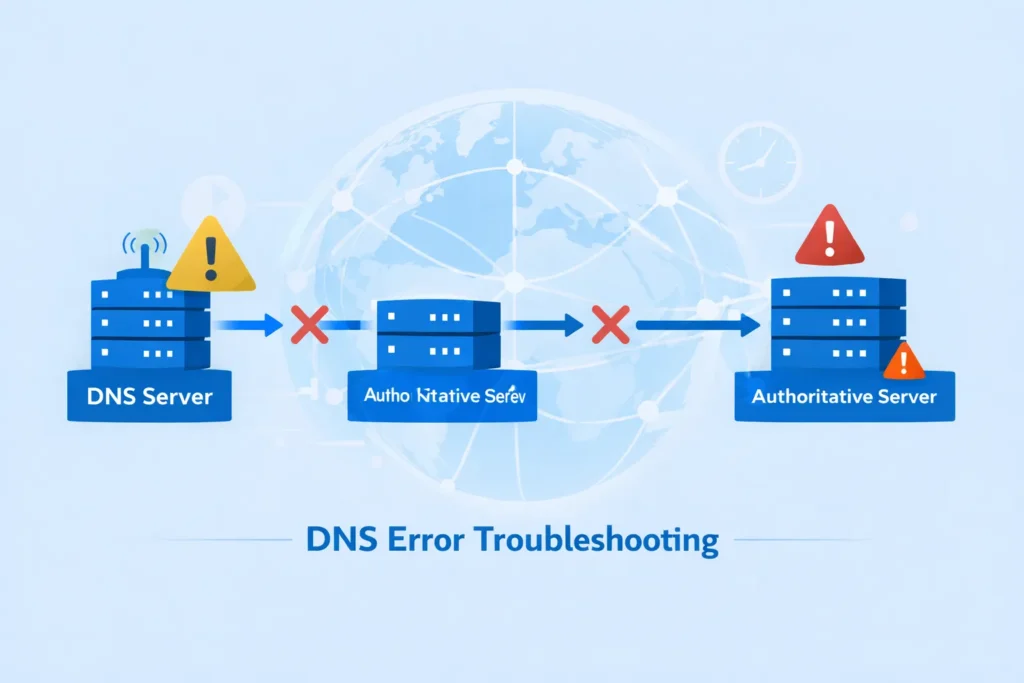
1. DNS Record Not Found
Causes:
- Missing DNS record
- Typo in the domain name
- Incorrect DNS provider
Solution:
- Double-check DNS settings
- Verify record type
- Wait for DNS propagation
2. DNS Propagation Delay
What It Means:
Changes are not visible everywhere yet.
Solution:
- Wait 24–48 hours
- Use global DNS lookup tools
3. Website Not Loading
Possible DNS Issues:
- Wrong A record
- Incorrect nameservers
Solution:
- Verify an A record IP
- Check nameserver configuration
4. Email Not Working
Possible Causes:
- Missing MX record
- Incorrect SPF or DKIM
Solution:
- Verify MX records
- Add correct TXT records
DNS Lookup Tool Online for Email Troubleshooting
DNS plays a major role in email delivery.
Important DNS records for email:
- MX
- SPF
- DKIM
- DMARC
A DNS Lookup Tool helps ensure emails are not marked as spam and are delivered correctly.
DNS Security Best Practices
DNS security is critical for protecting your website and users.
Best Practices:
- Enable DNSSEC
- Use strong SPF, DKIM, and DMARC records
- Avoid public DNS misconfigurations
- Monitor DNS changes regularly
- Use trusted DNS providers
DNS Lookup Tool Online & SEO (Why It Matters)
The DNS directly impacts SEO.
DNS Effects on SEO:
- Website uptime
- Crawl accessibility
- Page loading speed
- HTTPS and SSL trust
- Email reputation
Search engines prefer stable, secure, and fast websites. DNS issues can harm rankings.
When Should You Use a DNS Lookup Tool Online?
You should use a DNS lookup tool when:
- Your website is down
- Emails stop working
- You migrate hosting
- You change the domain settings
- You set up SSL certificates
- You perform technical SEO audits
Advantages of Online DNS Lookup Tools
- No installation required
- Works on any device
- Fast results
- Global DNS checking
- Free to use
Conclusion
A DNS Lookup Tool Online is an essential tool for anyone who owns or manages a website. From fixing website errors to improving email delivery and enhancing security, DNS lookup plays a vital role.
By understanding DNS records and using reliable DNS lookup tools, you can keep your website fast, improve your Website SEO Score, and Smake it EO-friendly.
If you want a stable online presence, make DNS monitoring a regular habit.
Faqs
A DNS Lookup Tool Online checks and displays DNS records of any domain.
Yes, most DNS lookup tools are completely free.
Usually between 24 to 48 hours.
Yes, DNS problems can cause downtime and reduce search rankings.
The A record and MX record are the most critical.
Yes, a DNS Lookup Tool can check DNS records for subdomains like blog.example.com or mail.example.com. It helps verify hosting, email, and CNAME configurations for subdomains.
Yes, using a DNS Lookup Tool is completely safe. These tools only read public DNS records and do not change or access private data related to your domain.