
In today’s digital world, online security is no longer optional. Every website, app, and online service asks you to create a password. Yet, many people still use weak passwords like “123456” or “password”. This is where a free password generator online becomes essential.
A free password generator helps you create strong, random, and secure passwords in seconds. These passwords are extremely difficult to guess or hack. Whether you are protecting your email, social media, bank account, or business software, using a password generator is one of the smartest decisions you can make.
This complete guide will explain everything about free password generator tools, how they work, why they are safe, and how you can use them correctly. By the end of this article, you will fully understand how to protect your digital life.
What Is a Free Password Generator Online?
A password generator online is a web-based tool that automatically creates strong and random passwords for users. Instead of manually thinking of a password, the tool generates one using a combination of:
- Uppercase letters
- Lowercase letters
- Numbers
- Special characters
The goal is to create passwords that are difficult for hackers, bots, and brute-force attacks to crack.
Unlike manually created passwords, generated passwords are unpredictable. This randomness is what makes a free password generator so powerful and secure.
Why You Should Use a Free Password Generator Online
Using a free password generator is not just convenient. It is also a major security upgrade.
1. Protects Against Hacking
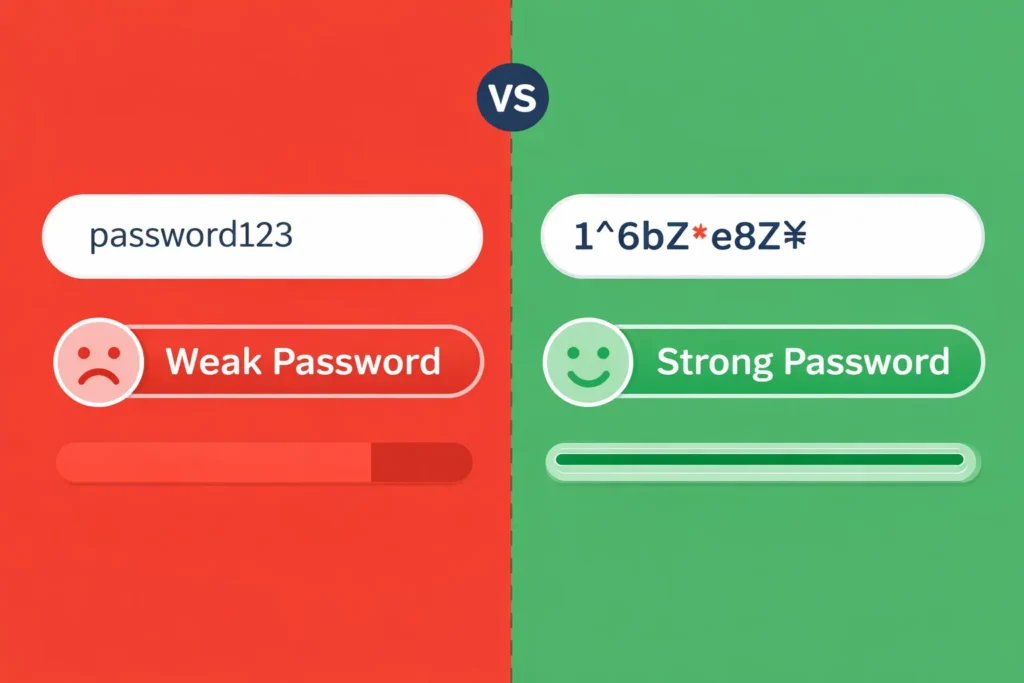
Weak passwords are the number one reason accounts get hacked. Password generators eliminate predictable patterns.
2. Saves Time
You do not need to think or reuse old passwords. The tool does the work instantly.
3. Creates Unique Passwords
Each password is different, reducing the risk of multiple accounts being compromised.
4. Improves Online Safety
Strong passwords help protect sensitive data like personal information, payments, and private files.
How Does a Free Password Generator Online Work?
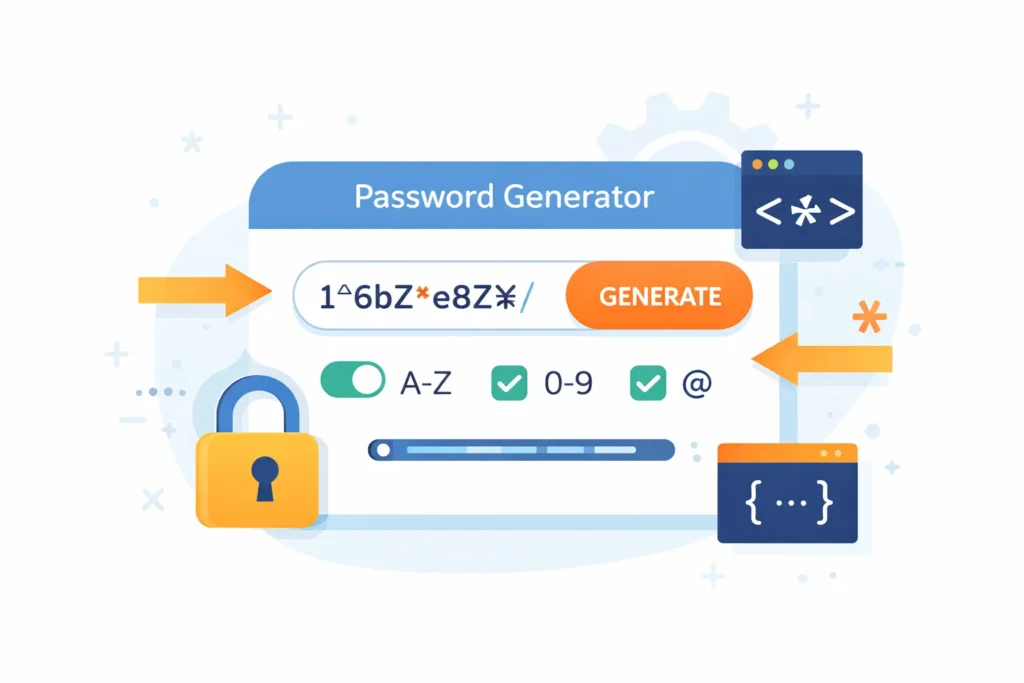
A free password generator online uses algorithms to produce random character combinations. These algorithms follow security rules to ensure high complexity.
Key Elements Used
- Randomization logic
- User-selected length
- Optional character sets
- Entropy calculation
The higher the randomness, the stronger the password. Good generators also include a password strength indicator.
What Makes a Password Strong and Secure?
Not all passwords are equal. A strong password must meet specific criteria.
Characteristics of a Strong Password
- At least 12–16 characters long
- Mix of letters, numbers, and symbols
- No dictionary words
- No personal information
- Completely random
A free password generator online automatically follows these rules, making it far safer than human-created passwords.
Types of Password Generators
1. Random Password Generator
Creates completely random passwords with no patterns.
2. Strong Password Generator
Focuses on security rules and complexity.
3. Custom Password Generator
Allows users to select length and character types.
4. Passphrase Generator
Uses random words instead of characters.
Most people prefer a free password generator with customization options.
Top Features to Look for in a Free Password Generator Online
When choosing a tool, make sure it offers these features:
- Custom password Meta Length Checker
- Option to include symbols and numbers
- One-click copy
- Password strength meter
- No data storage
- HTTPS security
These features ensure safety and ease of use.
Is a Free Password Generator Online Safe to Use?
Yes, most free password generator online tools are safe if they follow best security practices.
Safety Checklist
- Does not store generated passwords
- Runs locally in the browser
- Uses HTTPS encryption
- No account required
Avoid tools that ask you to save passwords on their servers.
Free Password Generator Online vs Manual Password Creation
| Feature | Password Generator | Manual Password |
|---|---|---|
| Security | Very High | Low |
| Randomness | Excellent | Poor |
| Reuse Risk | None | High |
| Time Saving | Instant | Slow |
A free password generator clearly wins in every category.
How to Use a Free Password Generator Online (Step-by-Step)
- Open a trusted password generator website
- Choose password length
- Select characters (letters, numbers, symbols)
- Click “Generate Password”
- Copy and save securely
That’s it. The process takes less than 5 seconds.
Best Practices After Generating a Password
- Use a password manager
- Never reuse passwords
- Do not share passwords
- Enable two-factor authentication
- Change passwords regularly
A strong password is most effective when combined with good security habits.
Free Password Generator Online for Different Users
For Individuals
Protect email, social media, and shopping accounts.
For Businesses
Secure employee accounts and internal systems.
For Developers
Generate API keys and system credentials.
For Students
Protect academic portals and cloud storage.

Common Password Security Mistakes
- Using the same password everywhere
- Saving passwords in plain text
- Sharing passwords via messages
- Ignoring security updates
A free password generator helps avoid these mistakes.
Why Hackers Target Weak Passwords
Hackers use automated tools to try millions of password combinations. Weak passwords fall quickly to brute-force and dictionary attacks.
Strong passwords created by a free password generator online are nearly impossible to crack.
Password Generator vs Password Manager
A password generator creates passwords.
A password manager stores passwords securely.
The best approach is to use both together.
Future of Password Security
The future includes:
- Passwordless authentication
- Biometric security
- AI-driven security systems
Until then, a free password generator remains one of the best security tools available.
Conclusion
Online security starts with strong passwords. A free password generator is one of the simplest yet most powerful tools you can use to protect your digital identity.
Instead of risking your data with weak or reused passwords, use a password generator to create secure, random, and unhackable passwords instantly. It is free, fast, and effective.
If you care about your privacy, security, and peace of mind, start using a free password generator online today.
Faqs
Yes, trusted tools are safe if they do not store or transmit passwords.
Strongly generated passwords are extremely difficult to hack.
At least 12–16 characters for strong security.
No, always use a unique password for each account.
Good tools do not store any data.
Yes, they are ideal for high-security accounts.
Yes, it removes predictability and improves security.