
Google ranks fast sites higher than slow ones. So if your pages load slowly, jump around, or feel laggy, you are losing both users and rankings. That is why every site owner today needs to improve Core Web Vitals.
The good news? You do not need to be a developer to fix them. With the right checks and small tweaks, you can boost speed scores in days, not months.
This guide explains what Core Web Vitals are, why they matter for SEO in 2026, and exactly how to improve each metric — step by step.
What Are Core Web Vitals?
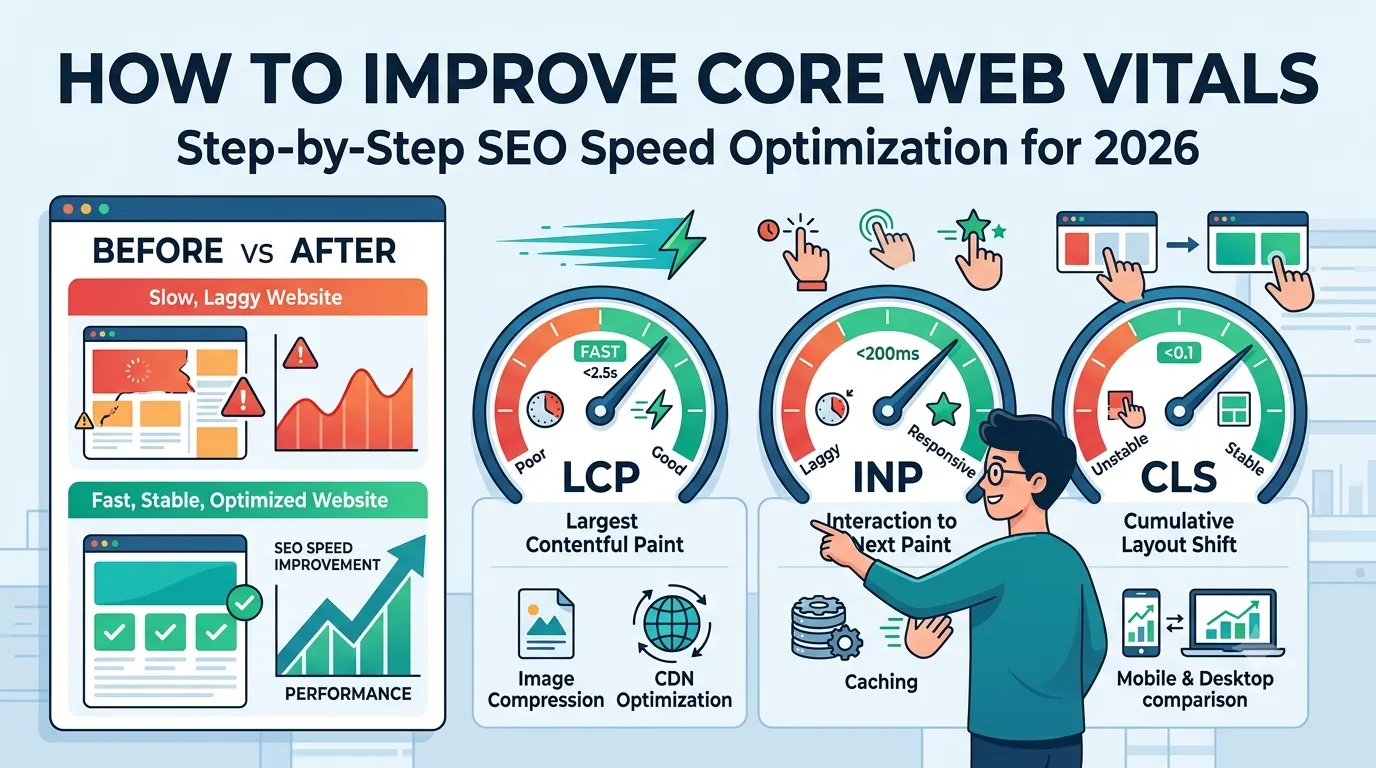
Core Web Vitals are Google’s official set of metrics that measure real user experience. They focus on three key areas: loading speed, interactivity, and visual stability.
The three main metrics are:
- LCP (Largest Contentful Paint) — measures loading speed
- INP (Interaction to Next Paint) — measures responsiveness
- CLS (Cumulative Layout Shift) — measures visual stability
Together, they reveal how smooth your site really feels to visitors.
Why Improve Core Web Vitals in 2026?
Google uses Core Web Vitals as a confirmed ranking factor. Sites that pass all three thresholds gain a real visibility boost in search results.
Plus, fast pages bring direct business benefits:
- Lower bounce rate
- Higher conversion rate
- Better mobile experience
- Stronger user trust and engagement
So fixing Core Web Vitals is one of the highest-ROI tasks in SEO today.
Core Web Vitals Score Targets
| Metric | Good | Needs Work | Poor |
|---|---|---|---|
| LCP | ≤ 2.5s | 2.5s–4s | > 4s |
| INP | ≤ 200ms | 200ms–500ms | > 500ms |
| CLS | ≤ 0.1 | 0.1–0.25 | > 0.25 |
Use these benchmarks to set clear goals before optimization.
Step 1 — Test Your Current Core Web Vitals
Before improving anything, run a full audit. Start with our free Page Speed Test to see your current LCP, INP, and CLS scores.
Also check Google Search Console’s “Core Web Vitals” report for field data from real users. Then you know exactly where to focus.
Step 2 — Improve LCP (Loading Speed)
LCP measures how fast your largest visible element loads. Reduce it with these proven tactics:
- Compress hero images with our Image Compressor
- Convert images to WebP or AVIF
- Use a CDN like Cloudflare
- Preload key fonts and the hero image
- Upgrade to faster hosting if needed
Small changes here can cut LCP by 30–50% on most sites.
Step 3 — Improve INP (Responsiveness)
INP replaces FID and measures how fast your page responds to clicks, taps, and key presses. Lower it by:
- Removing unused JavaScript
- Deferring non-critical scripts
- Breaking long JS tasks into smaller chunks
- Limiting third-party scripts (chat widgets, ads)
- Using lighter UI libraries
Faster interactions create a smoother, more enjoyable user experience.
Step 4 — Improve CLS (Visual Stability)
CLS happens when elements move unexpectedly while loading. Stop layout shifts by following these rules:
- Always set width and height for images and videos
- Reserve space for ads, embeds, and iframes
- Use font-display: swap to prevent FOIT/FOUT
- Avoid inserting content above existing elements
- Test with our Mobile Friendly Test on small screens
Stable layouts make users feel in control and reduce frustration.
Common Mistakes That Hurt Core Web Vitals
- Uploading uncompressed full-resolution images
- Loading 10+ third-party scripts
- Using outdated themes or page builders
- Ignoring mobile speed performance
- Not setting image dimensions
Avoiding these mistakes alone fixes most CWV issues for small to mid-sized sites.
Best Tools to Improve Core Web Vitals
Use these free tools side by side for the best results:
- Page Speed Test — quick CWV scan
- Website Page Size Checker — find heavy pages
- Image Compressor — reduce image weight
- Website SEO Score Checker — overall site health
Together, they cover every angle of Core Web Vitals optimization.
Quick Win Checklist to Improve Core Web Vitals
- Compress all images above 100 KB
- Enable browser and server caching
- Minify CSS and JavaScript files
- Remove unused plugins and scripts
- Use lazy loading for offscreen images
- Switch to HTTP/2 or HTTP/3 hosting
- Set explicit image dimensions in HTML
Most sites that apply this list see a clear score boost within 1–2 weeks.
How Often Should You Audit Core Web Vitals?
For active websites, audit Core Web Vitals at least once a month. Also check after:
- A theme or plugin update
- Adding new ads or chat widgets
- Migrating hosts or domains
- Launching a redesign
Regular checks help you catch issues before Google does.
Final Thoughts
Learning how to improve Core Web Vitals is one of the smartest SEO investments you can make in 2026. It boosts rankings, conversions, and trust — all from the same set of fixes.
Start with a quick audit using our free Page Speed Test. Identify the weak spots, follow the steps above, and watch your scores — and rankings — climb.
FAQs
Core Web Vitals are Google’s metrics that measure loading speed, responsiveness, and visual stability on your site.
Compress images, defer scripts, enable caching, and set image dimensions. These quick wins often improve scores within days.
A good LCP score is 2.5 seconds or less. Scores above 4 seconds are considered poor and hurt rankings.
INP replaced FID in 2024. It measures how fast your page reacts to all interactions, not just the first one.
No. Core Web Vitals affect both mobile and desktop rankings, though mobile data is weighted more heavily.
Hidden layout shifts often come from ads, embeds, fonts, or images without set dimensions.
Field data updates every 28 days, so expect Search Console changes within a month after fixes.