
Every website owner knows that speed matters. But did you know that the size of your web page plays a huge role in how fast it loads and how Google ranks it? This is where the Online Web Page Size Checker Tool comes in.
With this tool, you can analyze your website’s size, discover which elements are heavy, and learn how to optimize them. Whether you are a beginner or a professional developer, this guide will explain everything from A to Z.
What is a Web Page Size?
Your web page size is the total amount of data that needs to be downloaded to display your webpage fully. It includes:
- Images – often the heaviest element
- CSS files – for styling
- JavaScript files – for interactive functions
- Fonts – custom fonts can add weight
- HTML content – your text and layout structure
Why it matters: A smaller page size leads to faster load times, better user experience, and higher SEO rankings.
Why Page Size Matters for SEO and User Experience
Page size impacts multiple areas:
- Website Speed: Heavier pages take longer to load. Google recommends under 2 MB per page.
- Bounce Rate: Visitors leave slow-loading pages. Large pages increase bounce rate.
- SEO Rankings: Google considers load speed as a ranking factor. Optimized page size can improve your SEO.
- Mobile Optimization: Mobile users often have slower connections. Small page size ensures a better mobile experience.
What is an Online Web Page Size Checker Tool?
An Online Web Page Size Checker Tool allows you to:
- Measure your website’s total size in KB/MB
- See a breakdown of images, CSS, JS, and HTML sizes
- Analyze how your website performs in terms of loading speed
- Identify areas for optimization
Popular tools include:
- GTmetrix
- Pingdom Website Speed Test
- PageSpeed Insights by Google
- Free online tools like Website SEO Score Checker
How to Use a Page Size Checker Step by Step
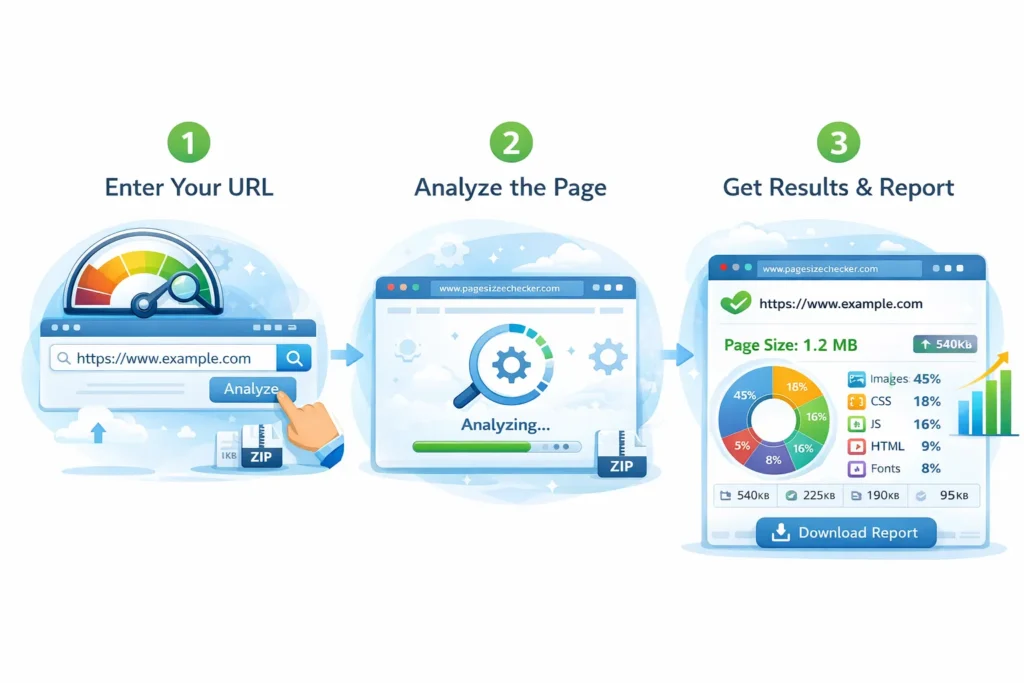
Here’s how to check your website page size:
- Open the Tool: Visit a free online tool like FreeToolr Page Size Checker
- Enter Your Website URL: Paste your website link
- Run Analysis: Click “Check Page Size”
- Review Results: See total page size, download time, and breakdown
- Download Report: Save results to plan optimization
Tip: Compare multiple pages to identify which pages are slowing your website.
Components That Contribute to Page Size
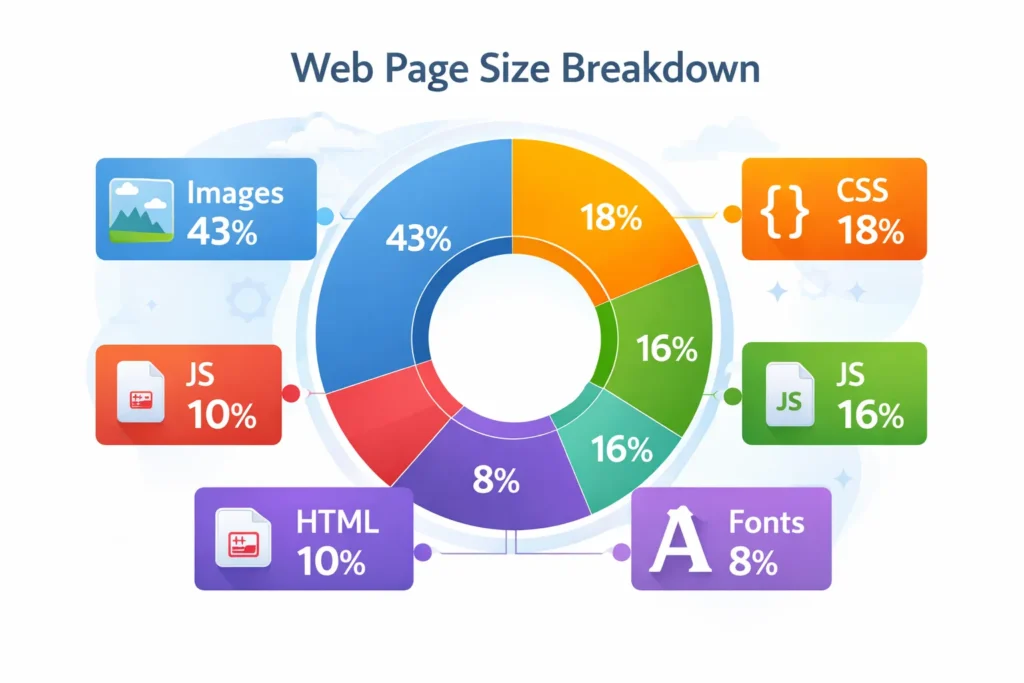
Understanding the components helps in optimization:
| Component | Description | Typical Size Impact |
|---|---|---|
| Images | JPG, PNG, SVG | 50–70% of total size |
| CSS | Styling files | 10–15% |
| JS | Scripts & libraries | 10–20% |
| Fonts | Web fonts | 5–10% |
| HTML | Structure & content | 5% |
How Page Size Affects Loading Speed
Page load speed is critical for UX and SEO. Factors:
- Network speed: Large pages load more slowly on slow connections
- Render blocking: Too many CSS or JS files delay page rendering
- Server response: Larger pages require more server resources
Ideal Page Size: Under 2 MB for desktop & mobile users.
Tools to test speed: Google PageSpeed Insights, GTmetrix, and Pingdom.
How to Reduce Your Page Size: A Complete Guide
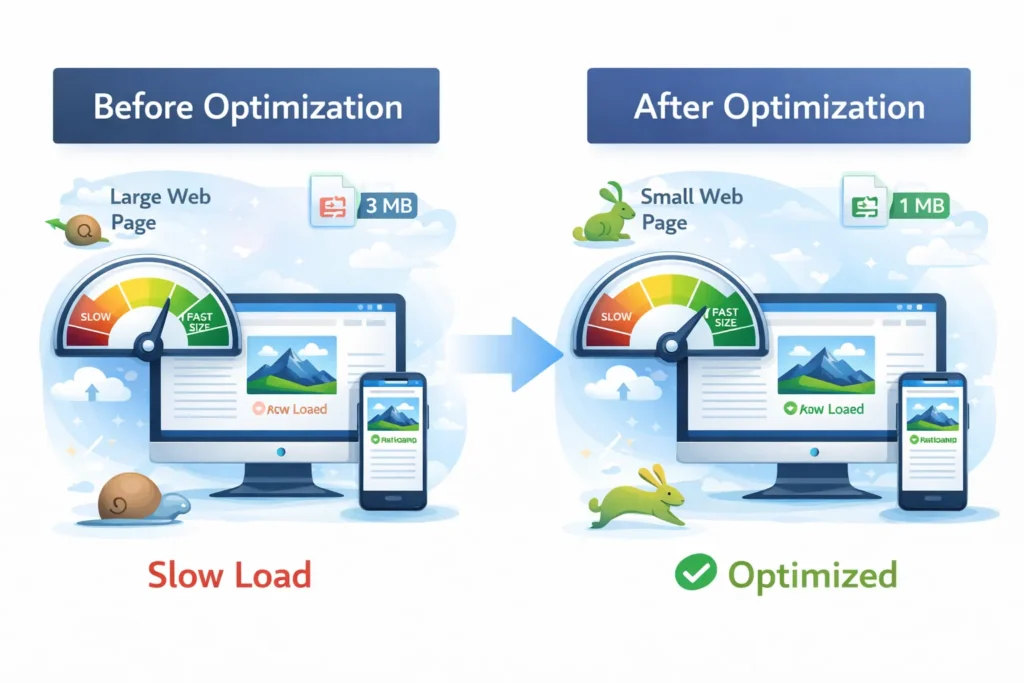
A. Optimize Images
- Use JPEG/WEBP formats
- Compress images using TinyPNG or ShortPixel
- Implement lazy loading
B. Minify CSS & JS
- Remove unnecessary spaces and comments
- Combine files where possible
C. Use Efficient Fonts
- Use system fonts or Google Fonts
- Limit custom font variations
D. Enable Compression
- Use GZIP or Brotli compression for faster loading
E. Remove Unnecessary Plugins
- Only keep essential plugins
- Delete unused scripts
F. Implement Caching
- Browser caching reduces repeated downloads
- Use WordPress caching plugins like WP Rocket
Tools and Plugins to Optimize Page Size
- WordPress Plugins: WP Rocket, Autoptimize, Smush
- Web-based Tools: GTmetrix, Pingdom, PageSpeed Insights
- Online Image Optimizers: TinyPNG, ShortPixel
Page Size Best Practices for Mobile & Desktop
- Keep mobile pages lighter than 1.5 MB
- Use responsive images
- Optimize above-the-fold content first
- Monitor page size regularly with a checker tool
SEO Impact of Large Web Pages
Large pages can:
- Reduce crawl efficiency
- Lowercase Convertor rankings
- Increase bounce rates
- Reduce conversion rates
Optimizing page size improves:
- Core Web Vitals
- Mobile UX
- Search engine ranking
Common Mistakes That Increase Page Size
- Uploading uncompressed images
- Using too many scripts/plugins
- Ignoring font and CSS optimization
- Not enabling caching or compression
Fixing these ensures better page speed, reduced bounce, and higher SEO scores.
Conclusion:
Optimizing your website’s page size is no longer optional—it’s essential for speed, SEO, and user experience. The Online Web Page Size Checker Tool helps you identify heavy elements, reduce load time, and keep visitors happy. Regularly monitoring and optimizing your pages ensures better rankings, faster websites, and satisfied users. Start checking your pages today and see the difference!
Faqs
Ideally under 2 MB for desktop, under 1.5 MB for mobile.
Yes, larger pages can slow load time and negatively impact Google rankings.
Yes, use online tools like GTmetrix, Pingdom, or FreeToolr Page Size Checker.
Compress images, minify CSS/JS, use caching, and remove unnecessary plugins.
Page size is total KB/MB to download; page speed is how fast it loads.
Yes, multiple custom fonts can increase your page weight.
Monthly or after major updates.