
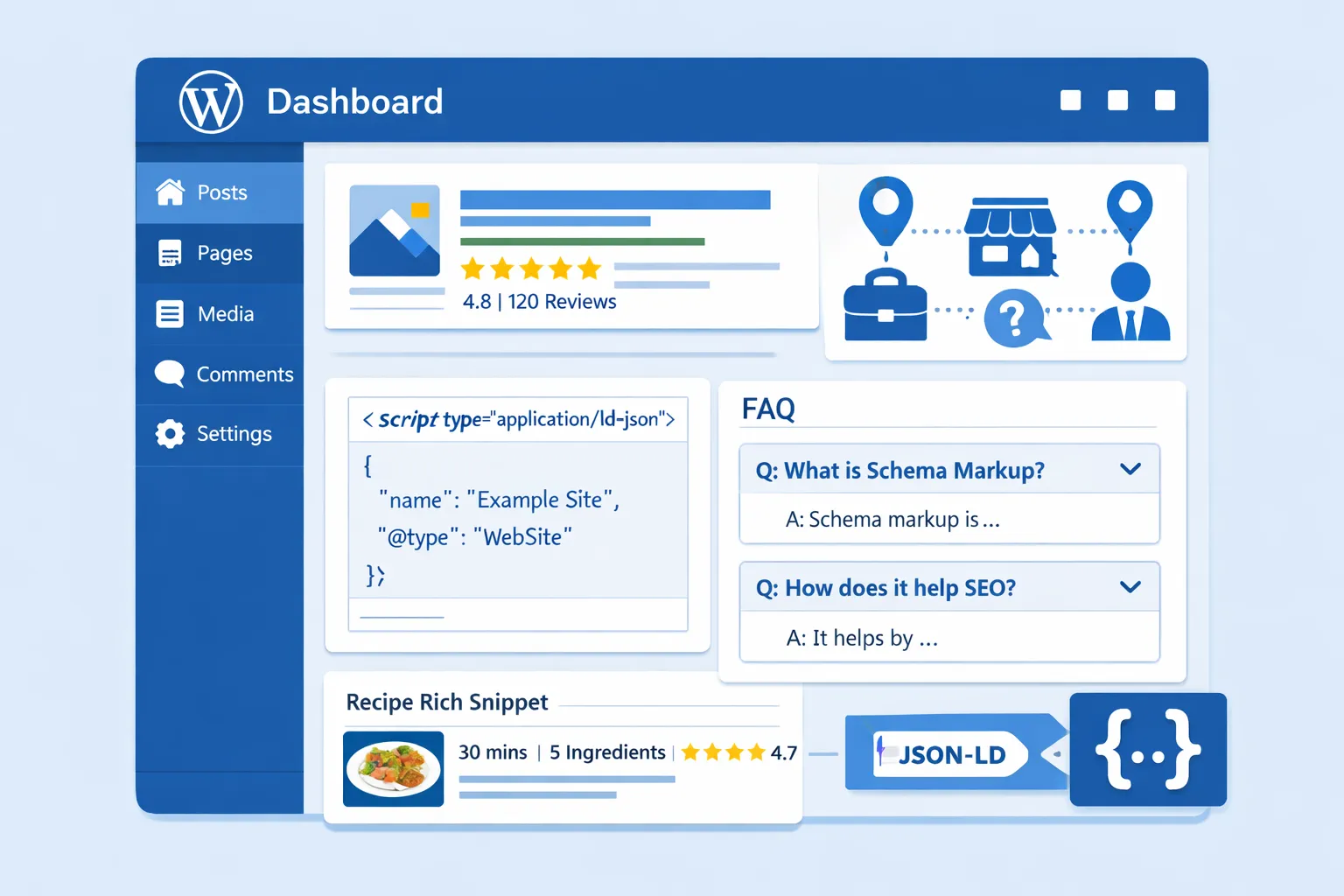
What Is a Schema Markup Tool for WordPress?
A Schema Markup Tool for WordPress is a plugin or online tool that helps you add structured data to your WordPress website without coding. Check out the Website SEO Score Checker on SmartSEOToolz to analyze your WordPress site performance and structured data health.
Schema markup tells search engines:
- What your content means
- Not just what it says
For example:
- This is a product
- This is an FAQ
- This is a business
- This is a review
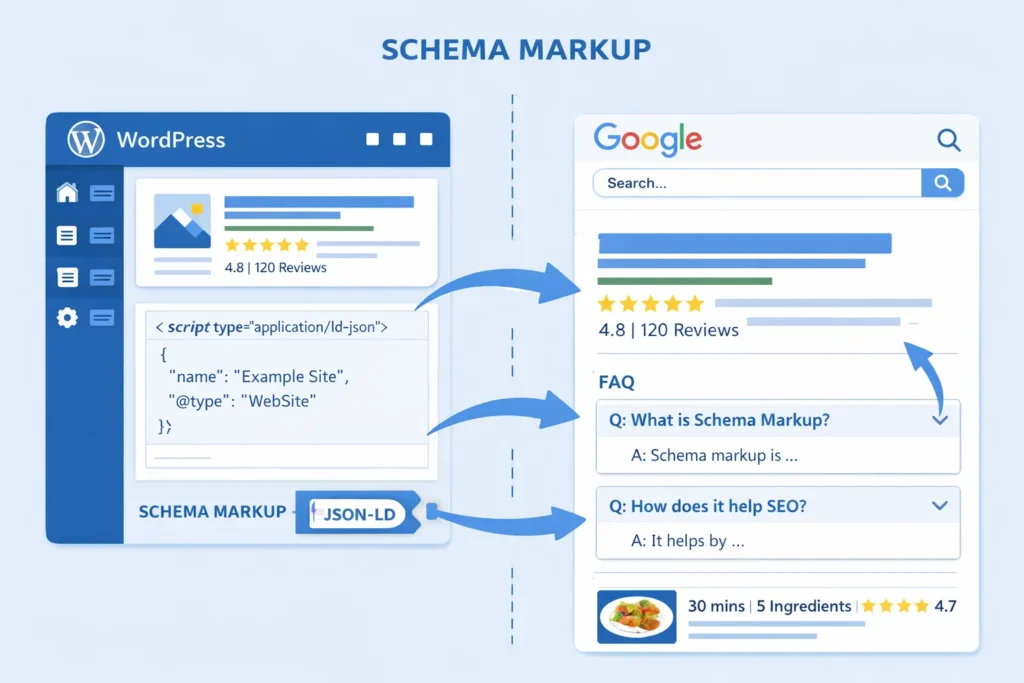
Search engines like Google use this data to show rich results.
Why Schema Markup Is Important for WordPress SEO
Schema markup is not optional anymore. It is essential.
Key Benefits:
- Higher click-through rate (CTR)
- Rich snippets in Google results
- Better content understanding
- Voice search optimization
- Future-proof SEO
Even if the schema does not directly boost rankings, it improves visibility, which increases traffic.
How Schema Markup Works in WordPress (Simple Explanation)
Schema markup uses JSON-LD format.
This code:
- Runs in the background
- Does not affect design
- Is read by search engines only
WordPress schema tools:
- Auto-generate JSON-LD
- Insert it safely
- Keep it Google-compliant
Types of Schema You Can Add Using WordPress Schema Tools
A powerful Schema Markup Tool for WordPress supports many schema types:
Common Schema Types:
- Article Schema
- BlogPosting Schema
- FAQ Schema
- HowTo Schema
- Product Schema
- Review Schema
- LocalBusiness Schema
- Organization Schema
- Breadcrumb Schema
- Event Schema
Best Schema Markup Tools for WordPress (Compared)
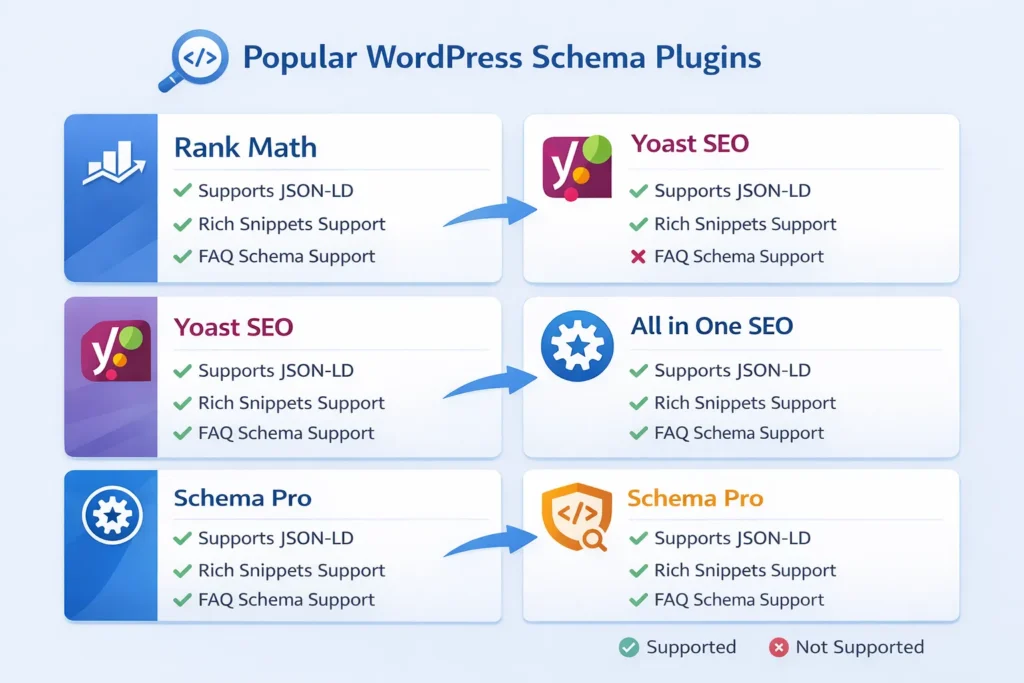
Apart from WordPress plugins, you can use SEO tools like the SmartSEOToolz SEO Score Checker to further audit your schema markup output.
Rank Math Schema Generator
- Built-in schema support
- Easy UI
- Multiple schema types
- Best for beginners
Schema Pro
- Advanced control
- Automation rules
- Works with custom post types
Yoast SEO Schema
- Basic schema
- Good for blogs
- Limited customization
All-in-One SEO Schema
- User-friendly
- Rich snippet support
- Ideal for small websites
How to Choose the Best Schema Markup Tool for WordPress
Before choosing, check:
- Google compliance
- JSON-LD output
- Easy interface
- Multiple schema types
- Auto schema support
- Compatibility with themes
Step-by-Step: How to Add Schema Markup in WordPress
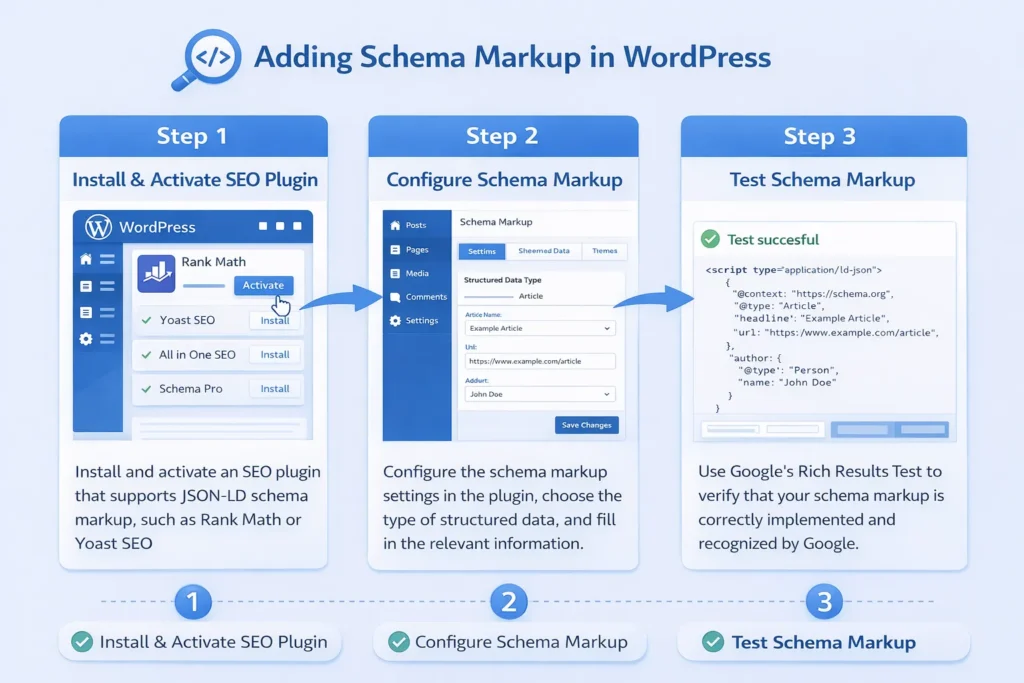
Step 1: Install a Schema Plugin
Go to WordPress Dashboard → Plugins → Add New
Step 2: Choose Schema Type
Select FAQ, Article, Product, etc.
Step 3: Fill Required Fields
Name, description, ratings, prices
Step 4: Save & Publish
Plugin generates JSON-LD automatically
Step 5: Test Schema
Use Google Rich Results Test
Common Schema Markup Mistakes to Avoid
Using the wrong schema type
Missing required fields
Duplicate schema
Manual coding errors
Outdated markup
A good Schema Markup Tool for WordPress prevents all these mistakes.
Schema Markup for WooCommerce WordPress Sites
A schema is mandatory for e-commerce.
Add:
- Product schema
- Price schema
- Review schema
- Availability schema
This improves:
- Product visibility
- Clicks
- Buyer trust
Schema Markup for Blogs & Content Websites
Best schema for blogs:
- Article schema
- FAQ schema
- HowTo schema
- Breadcrumb schema
These help:
- Featured snippets
- People Also Ask
- Voice search
How Schema Markup Improves Voice Search SEO
Voice assistants rely on structured data.
Schema helps Google:
- Understand answers
- Pick the correct results
- Read content aloud
WordPress schema tools make your site voice-ready.
Schema Markup and AI Search (Future SEO)
AI search engines rely heavily on:
- Structured data
- Semantic meaning
- Entity relationships
Schema markup future-proofs your WordPress site.
Manual vs Plugin Schema Markup
| Feature | Plugin | Manual |
|---|---|---|
| Easy | ✅ | ❌ |
| Error-free | ✅ | ❌ |
| SEO-safe | ✅ | ❌ |
| Time-saving | ✅ | ❌ |
Plugins win for 90% users.
Best Practices for Schema Markup in WordPress
- Use only relevant schema
- Follow Google guidelines
- Keep data accurate
- Avoid fake reviews
- Test regularly
How to Test Schema Markup
Use:
- Google Rich Results Test
- Schema Markup Validator
- Search Console Enhancements
Does Schema Markup Guarantee Rankings?
No.
But it increases visibility, CTR, and user trust.
SEO is a combination of:
- Content
- Technical SEO
- Schema markup
Final Thoughts
A Schema Markup Tool for WordPress is no longer optional.
If you want:
- Better visibility
- Rich snippets
- Higher CTR
- Future-proof SEO
You must use schema markup correctly.
Start simple. Use a reliable plugin. Test regularly.
Faqs
A Schema Markup Tool for WordPress helps you add structured data to your website. It allows search engines to better understand your content and show rich results in Google search.
Schema markup improves visibility in search results by enabling rich snippets like stars, FAQs, and product details. This increases click-through rate and builds trust with users.
No. Most WordPress schema markup plugins are beginner-friendly. You can add schema without coding by simply filling in fields using a plugin interface.
Common and effective schema types include Article, FAQ, Product, Review, LocalBusiness, Breadcrumb, and HowTo schema. The best type depends on your website content.
Schema markup does not directly increase rankings, but it improves CTR, visibility, and user engagement, which indirectly helps SEO performance over time.
Yes. A good Schema Markup Tool for WordPress generates clean JSON-LD code that is compatible with most themes and SEO plugins like Rank Math or Yoast.
You can test schema markup using Google Rich Results Test, Schema Markup Validator, or Google Search Console’s Enhancements section to ensure everything is error-free.